
Portfolio Websites
Graphic Designer Portfolio Website: Show the Work Behind the Outcome
Build a graphic designer portfolio website that pairs selected work with project context, your contribution, useful image presentation and a clear enquiry path.
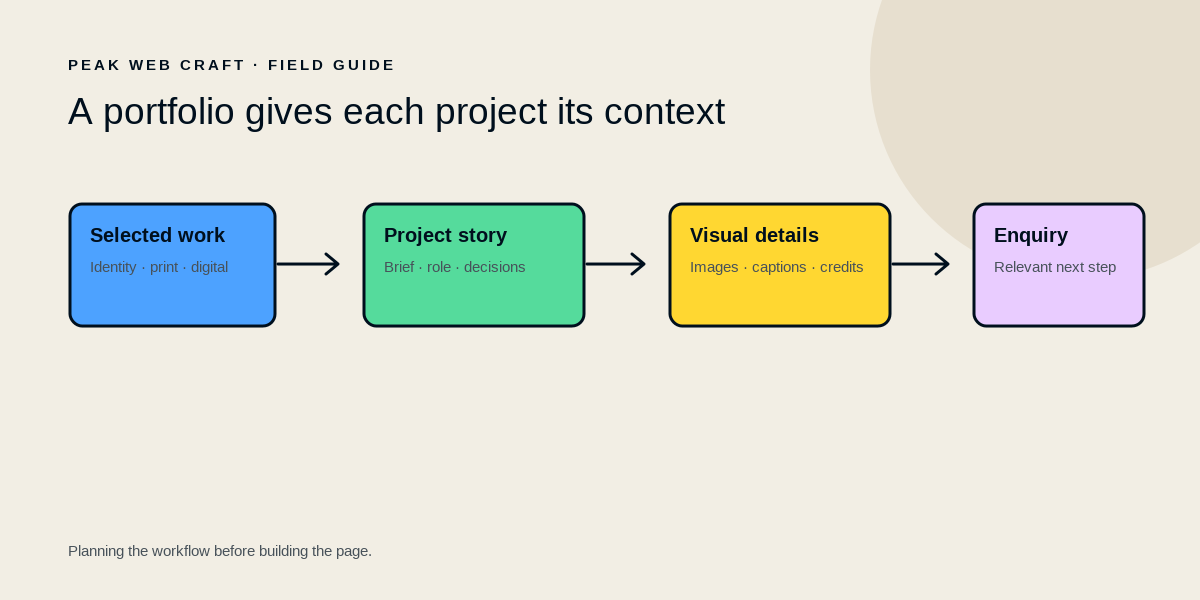
A graphic designer portfolio website should help the right person understand what you make, how each project was shaped and what kind of collaboration to ask you about. A striking image can earn attention, but project context, your contribution, accessible presentation and a clear contact route make the work easier to evaluate. Curate the site around the projects and enquiries you want to attract.
TL;DR
- Choose projects that represent the design work you want to do next.
- Explain the brief, audience, constraints, your role and relevant collaborators.
- Present images at useful sizes and give informative visuals a meaningful text alternative.
- Use project pages and categories that help people find relevant work without duplicating content.
- Make contact details and the next enquiry step easy to find.
Decide which design work the portfolio should help people find
Before arranging images, decide who the portfolio is for and what work you want to be considered for. A brand identity client may look for strategic context and a consistent visual system. An editorial art director may want to inspect typography, image selection and production range. A packaging brief may require product context and final applications.
- Name the services and project types you want to be contacted about.
- Select work that shows relevant range without making the site feel unfocused.
- Choose whether the main visitor is a prospective client, studio partner or employer.
- Keep personal experiments clearly identified as self-initiated work.
- Decide which information can be published and what needs client approval.
The portfolio does not need every assignment. A small collection of representative work can make your direction easier to understand than an archive with no hierarchy.
Give each selected project enough context to make the visuals meaningful
A graphic design case study can be concise while still explaining why the work looks the way it does. Describe the client or project context, audience, brief, constraints, your role, collaborators and the deliverables. Explain the decision behind a chosen direction and show how the identity or design system appears in use.
| Part | What to show |
|---|---|
| Overview | Project type, audience and brief in a sentence or two. |
| Your contribution | Responsibilities, collaborators and any work completed by others. |
| Constraint | The requirement, production limit or communication problem that shaped choices. |
| Design decisions | Selected process or iterations that explain the final direction. |
| Application | A few relevant real-world uses, such as packaging, publication or digital assets. |
| Outcome | A substantiated result, approval or delivery status, with claims kept in context. |
Do not imply that a concept was launched if it remained a proposal, or claim sole authorship for collaborative work. When results cannot be shared or measured, explain the approved deliverables and decisions instead of adding an unsupported performance claim.
Present image-heavy work without hiding important information
Graphic design depends on visual detail, so let visitors inspect selected images at an appropriate size while keeping the page responsive. Use compressed and correctly sized images, descriptive captions and a stable layout that does not shift as media loads. When a visual contains information needed to understand the project, provide text that explains its purpose; decorative imagery can use an empty text alternative.
- Use a consistent image sequence so the story is understandable on a phone.
- Provide descriptive captions for project title, medium or relevant context.
- Write useful alternative text for informative images without stuffing keywords.
- Use readable text outside image assets for project names and important details.
- Ask permission before publishing client work, source files or unreleased products.
- Credit collaborators and photographers where required.
The W3C image decision tree offers a useful way to decide whether an image needs text alternative and what that alternative should communicate. An image description should serve the visitor, not repeat every visible design detail mechanically.
Use a simple structure for categories, projects and search discovery
A portfolio can use a project index and a distinct page for each substantial case study. Create categories only when they help visitors choose a meaningful group of work, such as identity, editorial or packaging. A category page should add navigation value rather than become another thin copy of the same project grid.
| Page | Purpose |
|---|---|
| Portfolio home | Introduce your practice and highlight a few relevant projects. |
| Work index | Let visitors scan selected work and move to a project. |
| Project page | Explain one project with its context, visuals and contribution. |
| About or services | Clarify your approach, availability and fit for a collaboration. |
| Contact | Set expectations and provide a direct, usable enquiry route. |
Give project pages clear titles and concise descriptions, connect them from the work index and use descriptive links. This makes the site easier to navigate and gives search engines meaningful page context without repeating the same keyword in every heading.
Make it easy to ask about the right kind of design work
The next step should match how you prefer to work. An enquiry form can ask for a project type, approximate timing and a short brief, while a direct email or contact link may be enough for a simpler portfolio. Tell visitors what information is useful and what happens after they reach out. Avoid promising a response time you cannot maintain.
- Show the contact route in the main navigation or at the end of each project story.
- Ask only for the details needed to understand the opportunity.
- Include a usable email link and check the form’s confirmation and delivery.
- State availability or project fit only when that information is current.
- Keep social profiles as supporting routes rather than the only way to contact you.
If you work as a small studio, see the guide to a creative agency portfolio website for a different balance of team, service and project information.
Keep the portfolio selective and current
A portfolio stays useful when projects can be added and reordered without rebuilding the whole site. Decide whether you will manage project pages yourself, use a content management system or request updates as part of a support arrangement. Keep a simple checklist for permissions, image credits, links, descriptions and availability so new work follows the same standard.
- Choose a representative first set of projects and verify publishing permission.
- Prepare approved images, captions, role descriptions and relevant links.
- Review the mobile layout and alternative text for each new project.
- Ask a prospective client or peer to explain what work they think you offer.
- Retire or reorder examples when your target projects change.
Peak Web Craft’s Portfolio Website Development service supports selected work, project stories, galleries and enquiry paths within an agreed scope. For a wider comparison of creative portfolio structures, see portfolio website examples for independent creatives.
Frequently asked questions
What should a graphic designer portfolio website include?
Include a clear introduction, a curated selection of relevant work, project context, your role, collaborators, useful image captions or alternatives, and an easy enquiry route.
How many projects should a graphic designer show?
Show enough work to demonstrate your range for the projects you want, while keeping each case study easy to review. Relevance and context matter more than a large, uncurated archive.
Should a graphic designer portfolio include process?
Include selected process when it helps explain a decision or constraint. A concise explanation and a few relevant artifacts are more useful than publishing every working file.
Can I show client work in my portfolio?
Only publish work and details you have permission to share. Check client agreements, image rights, collaborator credits and whether the work is released publicly.
Does a graphic designer need a separate page for every project?
Give a project its own page when it has enough context, media or search value to deserve one. Small supporting samples can stay in a curated gallery.