
B. Portfolio websites
Portfolio Website Examples: How Independent Creatives Present Their Work
Explore portfolio website examples for photographers, filmmakers and artists, with practical ways to organise projects, explain contributions and invite enquiries.
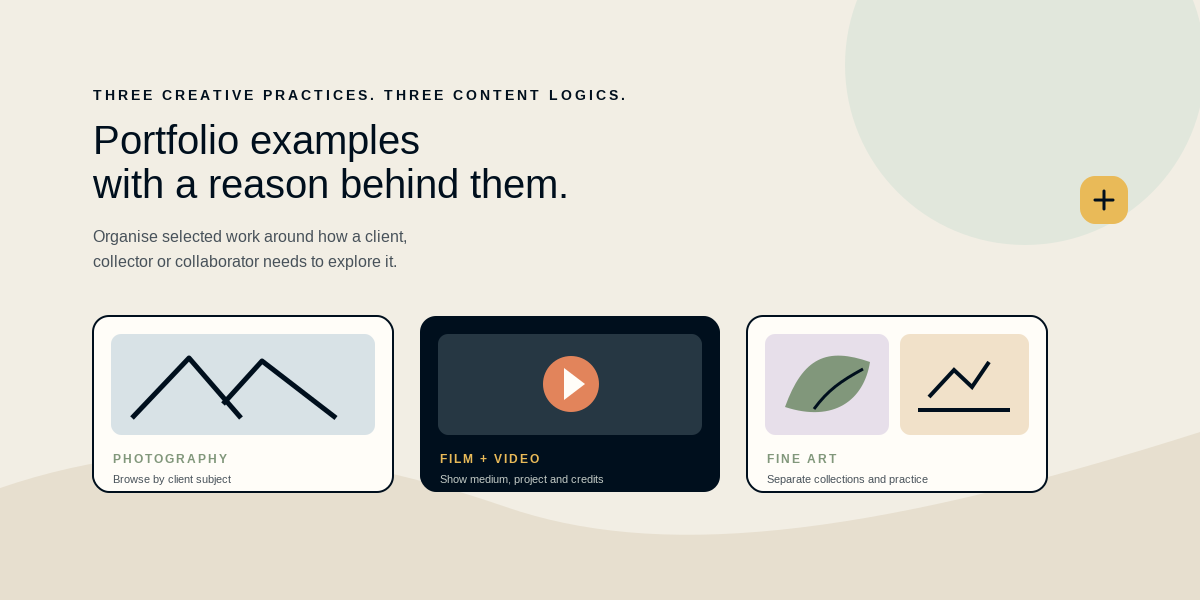
Strong portfolio website examples organise creative work so a prospective client, collaborator or collector can find relevant projects and understand their context. The best structure depends on the medium: photographers may group by subject or commission, filmmakers need a clear route into films and credits, and artists may distinguish collections, studio practice and available work.
TL;DR
- Study the information architecture and project context, not only the visual style.
- Use categories that reflect how the intended audience evaluates the work.
- Give each selected project enough context to explain the creator's role and contribution.
- Make enquiry, commission or availability information clear without implying unsupported outcomes.
How to evaluate portfolio website examples
When reviewing portfolio website examples, ask how the site helps the intended audience make a decision. Does a client want to browse by project type, subject, service or location? Does a collector need to understand whether artwork is available? Does a collaborator need a reel, credits and a way to discuss a project? Those questions should drive navigation and page structure.
| What to inspect | Questions to ask |
|---|---|
| First impression | Can a visitor identify the creative practice and kind of work quickly? |
| Navigation | Are categories meaningful to the audience rather than only to the creator? |
| Project context | Can a visitor see the brief, role, medium, collaborators or outcome where relevant? |
| Media | Can images or video be viewed comfortably without distracting from the work? |
| Next step | Is it clear how to enquire, commission, collaborate or ask about availability? |
Photography: use categories that map to a client's brief
The Jugal Shah portfolio project presents photography and videography through galleries and individual work. The documented scope includes gallery layouts, a custom image viewer and responsive development. Its subject-based categories offer one useful pattern: let a visitor find work relevant to the kind of assignment they have in mind.
A photographer can also use project stories to show what a complete commission involved, credit collaborators and explain the services offered. Keep images large enough to inspect but optimised for the device. Add captions or project details when they help distinguish the photographer's role, location or approach.
For photography-specific planning rather than an examples roundup, see how to build a photography portfolio website.
Film and video: make the medium, project and credits clear
The Sheehan Suthar filmmaker portfolio separates photography and film collections and gives visitors project pages. This is useful when a creative works across multiple media: visitors can choose the relevant format before they watch or inspect a project.
- Label whether a video is a showreel, a full project or behind-the-scenes material.
- Provide project title, date or context and the creator's role where accurate.
- Use controls that work with keyboard and touch; do not force audio playback.
- Consider image and media loading so the page remains usable on mobile connections.
- Keep a direct route to contact details near the work without covering playback controls.
The deeper guide to making a filmmaker portfolio website covers credits, video presentation and project structure in more detail.
Fine art: distinguish collections, archive and studio practice
The Dharmistha Suthar project connects artwork browsing, gallery-led layouts and a Dhoon Studio showcase. This example raises an information-architecture question: should a visitor explore a collection, understand the studio practice, or ask about a specific work? A portfolio can support those routes when their relationship is explained clearly.
An archive of work and a catalogue of available work are not automatically the same thing. If visitors can enquire about a commission or artwork, describe availability and the next step accurately. If the site supports direct transactions, product information, payments and fulfilment need a separate commerce scope.
For art-specific decisions about presenting and selling work online, read the fine artist website guide.
Turn an example into a portfolio design brief
- Choose the audience whose decision the portfolio should support.
- List the projects that best represent the work you want to be hired for.
- Write down the project details, credits and media you can publish accurately.
- Choose categories that help visitors reach the relevant work quickly.
- Define whether visitors should enquire, book a discussion, commission work or ask about availability.
- Decide who will add projects and what editing guidance or CMS workflow is needed.
Use the portfolio website development service to discuss galleries, project stories, media and contact routes as one custom scope. The right design should reflect the creator's work and operating needs, not simply copy a popular template.
Frequently asked questions
What should I look for in portfolio website examples?
Look at how the site identifies the creative practice, groups projects, explains context and contribution, presents images or video, and gives visitors a clear next step. Choose patterns that match your medium and audience.
What makes a good portfolio website for a creative professional?
A useful portfolio makes relevant work easy to find, gives enough context for someone to assess it and provides an appropriate route to enquire or collaborate. The structure should fit the creator's work rather than follow a universal template.
How many projects should a portfolio website show?
Show enough selected work to demonstrate relevant range and quality without making browsing difficult. Curate the projects around the opportunities you want, and provide context for the pieces you include.
Should a portfolio website include a blog?
Only if the creator has a useful publishing purpose and can maintain it. Project notes, process or updates can support a portfolio, but an unmaintained blog is not required for the site to present work effectively.
Can a portfolio website sell artwork or products?
It can, but direct selling adds catalogue, availability, payment, order and fulfilment requirements. A portfolio that receives enquiries has a different scope from a store that accepts online purchases.