
Portfolio Websites
Filmmaker Portfolio Websites: How to Organise Photography and Video Work
Organise a filmmaker portfolio website around selected films, clear credits, accessible viewing and a simple route for production enquiries.

A filmmaker’s portfolio needs clear navigation and clear credit
A filmmaker portfolio website helps a producer, agency or client find relevant work and understand your contribution. Films can involve many collaborators and roles, so a useful portfolio identifies what you did rather than implying sole authorship of a team production. The site should make the viewing experience easy while giving each project enough context to be judged fairly.
Decide which types of work you want to attract—commercial, documentary, narrative, event, music or another practice—and organise the portfolio around those choices.
Group films so visitors can find the right kind of work
- Choose a short, representative reel or featured sequence for the first screen.
- Group longer work by genre, role or intended client when the categories are meaningfully different.
- Give each project a title, year or context where useful, and a concise synopsis.
- List your role and relevant collaborators accurately.
- Use thumbnails that help viewers choose a film and provide a link to the complete work.
A single showreel is useful for a quick impression, but it may not answer a client’s question about a specific role or format. Pair it with selected projects that reveal pacing, sound, direction, editing or cinematography as relevant to your work.
Make video playable without making the portfolio slow or inaccessible
| Check | Why it matters |
|---|---|
| Use a reliable video host or delivery setup | Large media can make pages slow and can fail on some connections |
| Choose a representative poster image | Visitors can understand the clip before it loads or plays |
| Avoid surprise autoplay with sound | People control when media starts and how much data it uses |
| Provide captions or a transcript when appropriate | People can follow dialogue and important audio information |
| Test playback on mobile and keyboard | Controls should remain usable on different devices and input methods |
A portfolio can use a concise embedded player and let visitors open the full film on the host platform. Keep the page title, credits and project context in accessible page content rather than placing all important information only inside a video.
Use project pages to show context beyond the final cut
A project page can explain the brief, audience, format, production scale and your role. Add only details you are allowed to share, and be careful with client names, unreleased work and confidential information. A few specific sentences often help more than a generic paragraph about creativity.
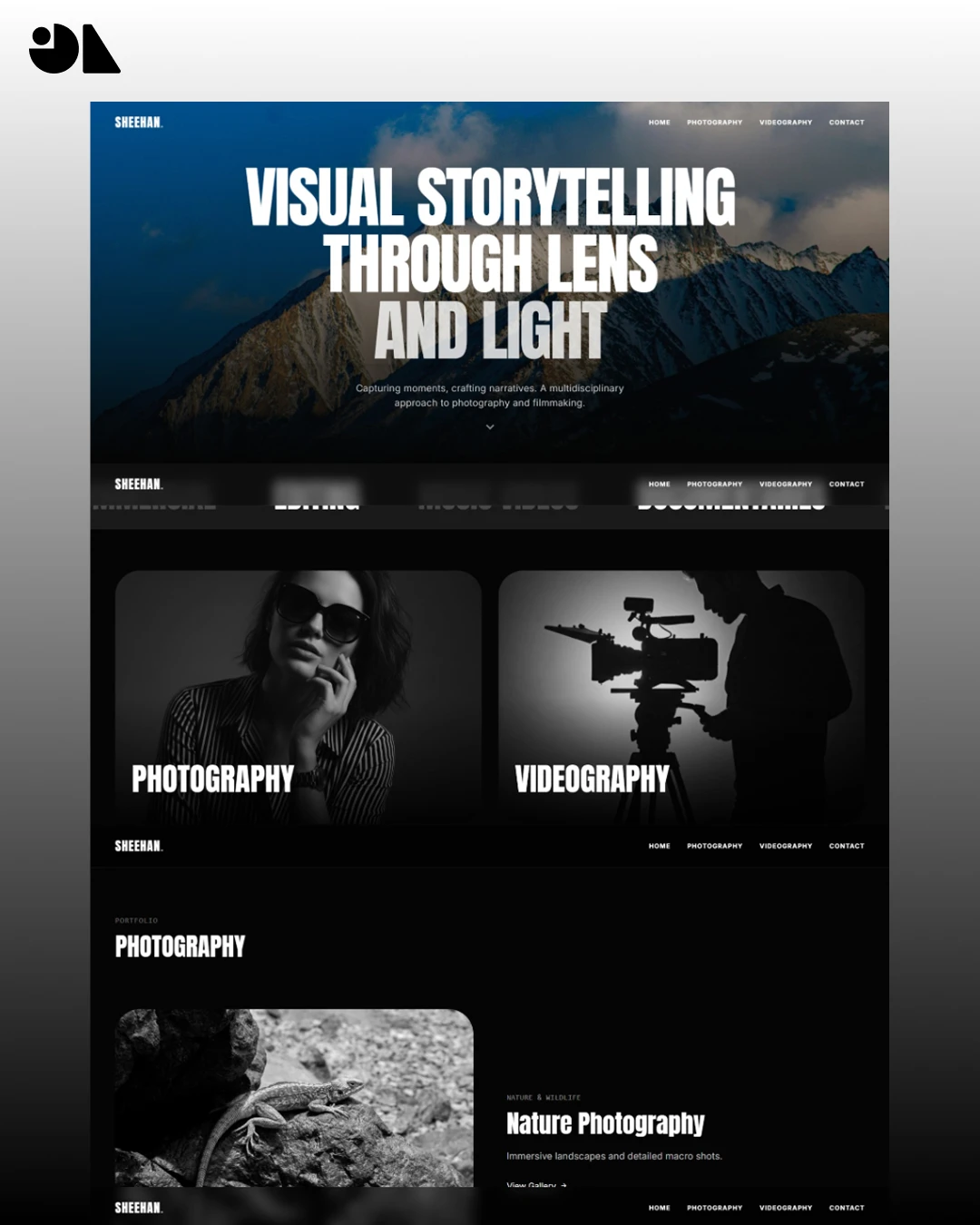
The Sheehan Suthar portfolio case study shows a portfolio organised around photography and film collections. Treat the page as an example of how a practice can present different media, not as a requirement for every filmmaker.
- State your role in the project and how it relates to the work shown.
- Credit the director, producer, editor or other collaborators as agreed.
- Describe any constraints or production decisions that illustrate your contribution.
- Link to related projects or services only when they help a visitor understand your work.
Help prospective clients send a useful production enquiry
- Name the type of project or role you are available for.
- Ask for project timing, location, deliverable or budget range only when it helps assess fit.
- Provide a direct email or short form that works on mobile.
- Explain when a visitor can expect a reply and who will receive the message.
- Test the route and confirm that portfolio clicks are not misreported as enquiries.
A portfolio should make contact easy without turning the page into a sales form. If you work through representation or a production company, show the appropriate route rather than encouraging people to contact the wrong person.
The Sheehan Suthar case study separates photography and video categories with project pages. This gives the brief a concrete question: should the visitor choose a medium first, or a role or project type? Whichever structure you select, keep credits and the contact route understandable. The case study does not establish a measured increase in commissions.
If you are preparing a build, our filmmaker website design page explains the content inputs, example work and scope to discuss.
Questions about filmmaker portfolio websites
Should my portfolio open a showreel automatically?
Usually let visitors choose to play. A clear poster and visible play control give people context and avoid unexpected sound or data use.
Do I need a page for every film?
Create a page when a project adds useful evidence or answers a client question. A small selection of well-described films can be more useful than an uncurated archive.
What credits should I include?
Name your role and contributors accurately, following project agreements and permissions. Do not claim credit for work you did not perform.
Where should I host video?
Choose a service or delivery setup that works for the expected audience, quality, privacy and budget. Test playback and performance on representative devices before publishing.
Can the site include photography as well as film?
Yes. Separate the categories if visitors are likely to search by medium or role, and make sure each section has enough work to justify its place.