
Business Website
What Pages Does a Service Business Website Need?
Plan the pages a service business website needs by matching each page to a customer question, service decision, proof point or next step.
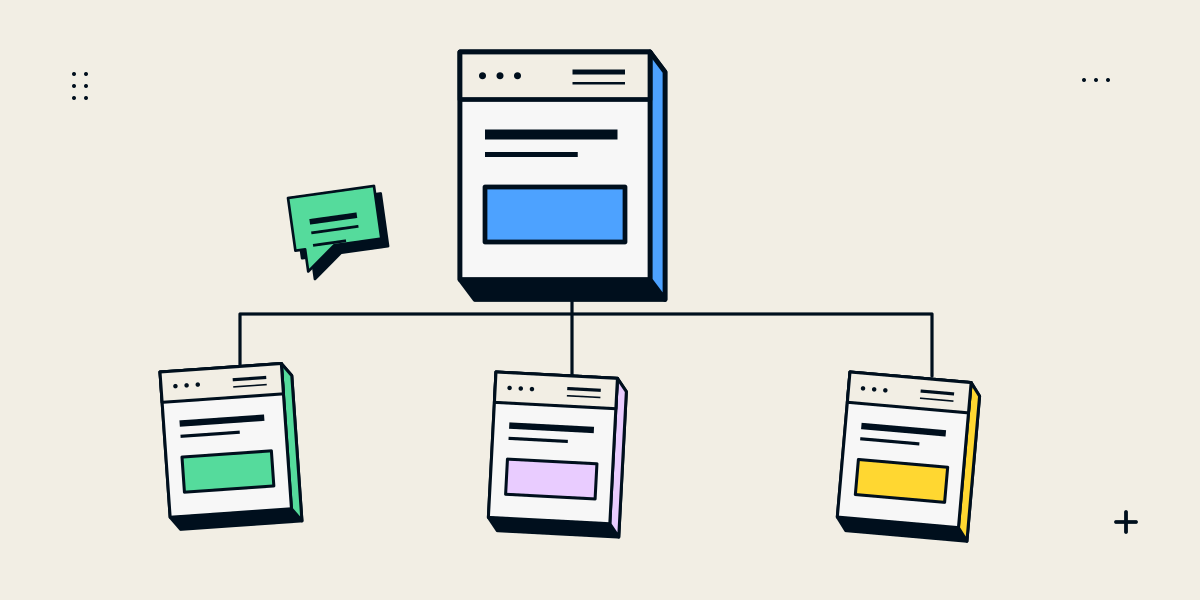
Build pages around customer questions, not a fixed page-count rule
A service business website needs enough pages to explain the company, help people evaluate the services and make contact. There is no required page count for every business. A firm with one clear service may need a small site; a business with distinct audiences, locations or service lines may need more focused pages.
Start by writing down the questions a prospective customer asks before choosing you. Then decide which questions need their own page and which can be answered together. A page should exist because it helps a visitor or the business complete a real task.
A practical core structure for a service business
| Page | What it should help the visitor understand |
|---|---|
| Home | What the company does, who it serves and where to continue |
| Services overview | Which offers exist and how they differ |
| Service detail | What one service includes, who it suits and how to enquire |
| About | Who is responsible for the work, the company’s approach and relevant context |
| Work or case studies | Examples of completed work, the problem and the provider’s contribution |
| Contact | How to start a conversation and what information to share |
Some small businesses can combine the services overview and one service detail. Others benefit from dedicated pages because each offer serves a different audience or decision. Keep the navigation understandable as the number of pages grows.
Give distinct services their own useful explanations
A dedicated service page can explain the work, process, deliverables, likely client inputs, relevant proof and next step. It is helpful when the service has its own audience or set of questions. Do not split one offer into several nearly identical pages just to repeat keywords or city names.
- Describe the customer problem the service addresses.
- Explain the process and what the provider needs from the client.
- Identify any constraints, dependencies or optional parts.
- Show relevant examples and state the provider’s actual contribution.
- Tell a suitable visitor how to begin a discussion.
If your services overlap, a comparison page can explain when each one is appropriate. Our guide to landing pages versus business websites and business website versus ecommerce website comparison show how a clear decision page can connect to focused service pages.
Add supporting pages only when they answer a real need
| Optional page | Useful when… |
|---|---|
| FAQs | Customers repeatedly ask the same questions before moving forward |
| Locations or service areas | The business has real locations or meaningfully different service coverage |
| Insights or resources | The business can maintain useful guidance for its audience |
| Careers | The business is actively hiring and needs a stable application route |
| Policies and privacy information | The site needs to explain its data practices, terms or customer policies |
| Booking or registration | Visitors need to select a time or complete a defined signup flow |
Pages that are legally required or specific to your industry need review for the business and jurisdiction. Use accurate information and obtain appropriate professional advice where the content has regulatory implications.
Make the structure easy to use and maintain
Group related pages under labels visitors understand. Use descriptive page titles and links, and connect an overview page to its service details. A useful website hierarchy helps people see how information relates. Google’s SEO Starter Guide also discusses organising a site so users and search engines can understand its pages.
Location pages need substantive differences and real local usefulness. Google identifies city pages that funnel visitors to the same destination as an example of doorway abuse in its Search spam policies. Create a location page only when it can accurately explain a real service area, location or customer need.
- Put important pages within a simple navigation path.
- Use internal links where a related question naturally follows.
- Avoid duplicate pages with only a place name or service keyword changed.
- Keep page names and URLs stable where possible.
- Assign an owner to review content that changes, such as services, hours or contact details.
Draft a small site map before design begins
A simple hierarchy can reveal missing or duplicate pages before they become expensive to revise. Start with the main navigation, add important child pages and note which calls to action connect them. Then mark what each page must contain and who will provide the content.
- List the audiences and the decisions they need to make.
- Write each candidate page as a visitor question or task.
- Group related questions that can be answered together.
- Give each page a purpose, owner and primary next step.
- Remove pages without a clear audience or useful content.
- Review the structure on a phone-sized screen as well as desktop.
Do not confuse a planning sitemap with the XML sitemap used by search engines. The planning map helps organise content; technical sitemap generation is one of the implementation details to agree with the developer.
Questions about service business website pages
How many pages should a small business website have?
Enough to explain the company, its important services, relevant proof and contact route. The number depends on the audience and the differences between services, not a standard package.
Should every service have a separate page?
Give a service a dedicated page when it has distinct requirements or customer questions. Combine closely related offers when separate pages would repeat the same information.
Do I need a blog?
Only if the business can publish useful material for its customers and maintain it. A blog is not a substitute for clear service pages or accurate project information.
Should I create a page for every city I serve?
No. Explain genuine locations or service areas where useful, but avoid near-duplicate pages that add no distinct information or route visitors to the same destination.
What pages should be in the top navigation?
Prioritise the pages most visitors need to find: the company’s services, useful evidence and a contact route. Less common information can sit in the footer or a relevant supporting page.