
D. Business websites and CMS
CMS Website Examples: Content Patterns a Small Business Can Maintain
Explore practical CMS website examples for service pages, case studies, articles and FAQs, with notes on content fields and ongoing editing effort.
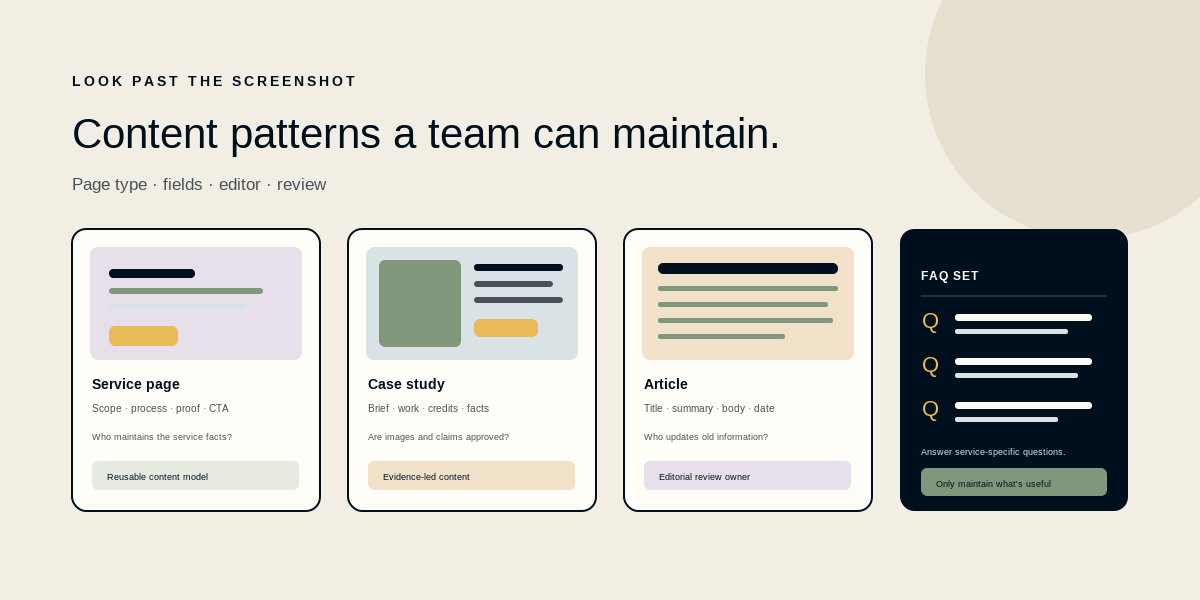
Useful CMS website examples show more than a polished screen: they reveal the content fields, page pattern and update work a small team can maintain. Service pages, case studies, articles and FAQs often benefit from reusable structures, but not every page needs a complex model. Start with the information customers need and the updates the business will actually make.
TL;DR
- Compare CMS examples by their content structure and editing effort, not only their visual style.
- Use reusable patterns for service pages, case studies and articles that repeat meaningful fields.
- Give editors clear field instructions and keep uncommon content optional where appropriate.
- Avoid generating near-identical pages that add no distinct information for customers.
- Make only the content the team needs to maintain editable.
Look at the content model behind a CMS example
A screenshot can show colors and layout, but it does not tell you how a staff member adds a service page or updates a case study. When reviewing CMS website examples, ask which fields are editable, what repeats across pages, what can be omitted and how an editor previews the finished page. The best model depends on the business's content and team, not on the number of fields it can support.
- Identify the page type and the visitor's question.
- Separate required facts from optional supporting content.
- Notice which values are shared across the site and which belong to one page.
- Ask whether an editor could make a routine update without developer help.
- Estimate how often the business will review each content type.
A CMS is useful when structured editing solves a real publishing or maintenance problem. For the decision criteria, see the separate guide to choosing a CMS by small-business editing workflow.
Example pattern: a service page with clear scope and next steps
A service page should help a prospective customer understand who the service is for, what work is included and how to begin a conversation. Its CMS model can keep those facts together while allowing the team to update service details without rebuilding the whole page.
| Field | Editing purpose |
|---|---|
| Service name and introduction | State what the service does and which customer need it addresses. |
| Scope and deliverables | Describe included work and clarify important boundaries. |
| Process | Explain the steps a customer can expect without promising an unsupported timeline. |
| Proof or project links | Connect the service to relevant, approved work or case studies. |
| FAQs | Answer questions that are specific to this service. |
| Contact action | Provide a consistent next step and destination. |
Do not create one thin service page for every wording variation if the offer is the same. Keep separate pages for services with materially different scope, audiences or decision questions, and make each page substantive.
Example pattern: a case study that records work and evidence
A case study can give a business a consistent way to describe a project while leaving room for the facts that make that project distinct. The editor should be able to distinguish the client's brief, the work delivered and any collaborators. Use only approved images and claims the business can substantiate.
| Field | Question it answers |
|---|---|
| Client or project title | What work is this page about, and may the name be published? |
| Brief or context | What need or constraints shaped the project? |
| Work delivered | What did the business actually design or build? |
| Project facts | Which platform, features or deliverables can be stated accurately? |
| Media and credits | Which images are approved, and who should be credited? |
| Related service | Which service page should a relevant reader visit next? |
Keep performance claims, client quotations and project details optional unless the editor has verified evidence and permission to publish them. A reusable case-study template should make good review easier, not encourage invented fields to be filled with guesses.
Example pattern: articles and FAQs with useful editorial context
An article model may include a title, summary, body, publication date, author, feature image and related service. FAQs can be managed as a small structured list when questions change regularly and belong to a clear page. For a low-frequency site, directly editing these pages may be simpler than building a large editorial system.
- Give title and summary fields a short instruction so staff know how they appear in previews.
- Require an image alternative or a clear decorative-image choice when media is added.
- Keep publication dates and author names accurate rather than using a field only for appearance.
- Use related links that support the reader's next task, not a large automatic list.
- Review older articles and FAQs for outdated service, pricing or policy details.
For pages targeting a service area or location, add them only when the business has distinct information, service coverage or proof to provide. Copying one template and swapping a city name can create pages that offer little value to visitors.
Estimate the maintenance effort behind each pattern
Every editable content type creates an ongoing responsibility: somebody needs to write, review, publish and refresh its entries. Compare that effort with the team's capacity. A smaller set of reliable page patterns is often easier to maintain than many optional modules or an elaborate workflow the business rarely uses.
| Pattern | Questions for the team |
|---|---|
| Service pages | Who owns scope updates, proof and contact details? |
| Case studies | Who confirms project facts, image rights and client approval? |
| Articles | How often will the business publish and review older content? |
| FAQs | Who decides when an answer is outdated or no longer relevant? |
| Shared navigation | Who checks links when a service or destination changes? |
If the current site is static and updates are difficult, use the CMS migration planning checklist to map pages, URLs and editor tasks before choosing an implementation.
Turn a good example into a small, testable CMS scope
- Choose one representative page for each content type the business expects to maintain.
- Draft the fields and instructions with the people who will edit the pages.
- Build a preview and test long titles, missing optional content and image handling.
- Ask editors to complete a realistic update without developer assistance.
- Review public headings, links, metadata, mobile layout and calls to action.
- Expand the model only when a real content need appears.
Peak Web Craft's business website development service includes optional CMS scope when editable content is part of the agreed project. For a broader explanation of that service boundary, see CMS website development.
Frequently asked questions
What are CMS website examples?
They are examples of websites managed through a content management system. To compare them usefully, look at the content types, editable fields, page patterns and maintenance workflow behind the visible design.
What CMS page types are useful for a small business?
Common patterns include service pages, case studies, articles and FAQs. A business should add a content type when it has a real publishing need and an owner to maintain it.
Should every page use the same CMS template?
Shared templates help keep similar pages consistent, but different page types may need different structures. Reuse a template when the pages share a meaningful pattern, and keep genuinely distinct content types separate.
Do CMS website examples show which platform is best?
Not by themselves. A visual example does not reveal editor workflow, ownership, integrations or maintenance needs. Compare those requirements before choosing a CMS platform.
How can a small team keep CMS content current?
Assign an owner for each content type, keep editing fields clear, schedule reviews for time-sensitive pages and remove fields or workflows that the team does not use.