
A. Business websites
Best CMS for a Small Business Website: Choose by Editing Workflow
Compare CMS choices for a small business by the content you publish, editor skills, design controls, integrations, ownership and maintenance responsibilities.
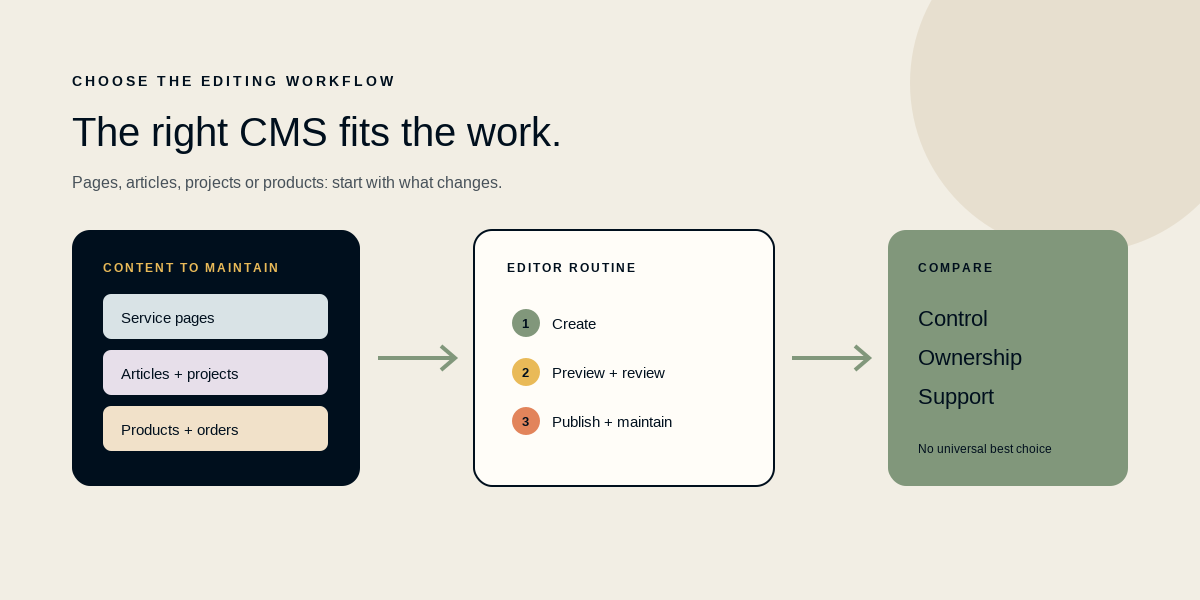
The best CMS for a small business website is the system your team can use to publish the content it actually maintains without adding unnecessary complexity. A few stable pages may need little editorial tooling. A business that regularly publishes articles, projects or service updates needs a clear editing workflow. A product business may need commerce tools as well as page editing. Compare the work, not just the feature list.
TL;DR
- List the content types, update frequency and people who create, review and publish.
- Choose a CMS that offers the controls your team needs while limiting avoidable dependencies.
- Treat commerce, structured publishing and occasional page edits as different workflows.
- Include ownership, redirects, training, backup and ongoing maintenance in the decision.
The best CMS depends on what your team edits
Start with the updates your team expects to make. Editing five fixed pages once a year is a different need from publishing case studies every month, maintaining a news archive or changing a product catalogue daily. A useful system makes those tasks safe and repeatable while keeping page structure, media and important metadata consistent.
If you are still deciding whether your business needs an editor at all, start with the companion guide to CMS website development and content editing. This article compares common CMS approaches once you have identified the editing need.
Compare CMS approaches by the job they need to do
| Approach | May suit | Questions to check |
|---|---|---|
| Hosted website builder with CMS | A small team wants managed hosting and visual page editing for a compact marketing site. | Can editors safely change approved areas? What happens to content and URLs if the plan or platform changes? |
| General-purpose CMS | The site needs a mix of pages, articles or projects and a familiar publishing workflow. | Who maintains themes, extensions, backups and access? Are templates and structured fields set up consistently? |
| Design-led CMS collections | The team needs structured records such as articles, projects or team profiles linked to reusable templates. | Can editors maintain the collection schema and URL rules? Are redirects planned for published URL changes? |
| Commerce platform with content tools | The main job is to manage products, orders and store content within one commerce workflow. | Do product, checkout and editing needs fit the platform and current account requirements? |
| Headless or custom CMS | Content must feed several channels or needs a specific model that standard tools do not support. | Who owns the front end, APIs, preview, deployment, security and ongoing development? |
These are decision categories, not rankings. A small business should verify the current product capabilities, plan limits and migration options for any named system before purchase. The content model, editorial experience and people available to maintain the site often matter more than a long list of optional features.
Use current platform documentation to verify the editing model
For example, WordPress's Site Editor is available with a block theme and provides tools to manage site styles, layouts, templates and parts. Review the official WordPress Site Editor documentation if whole-site editing is important to your staff.
Webflow CMS Collections are structured content entries that share a collection schema and page template; changing a published collection URL may require redirects. Check the current Webflow Collections documentation against your content model and migration plans.
Shopify's online store tools support web pages, a blog and product sales. If the website's main job is commerce, review the current Shopify Online Store documentation alongside the merchant's product and order needs. These examples illustrate different workflows; they are not a universal ranking or a substitute for checking current terms.
A simple CMS decision matrix for a small business
| Your situation | Start by checking |
|---|---|
| The site has a few stable pages. | Whether the pages can be maintained simply without a full CMS workflow. |
| Staff publish articles or projects. | Structured content fields, previews, categories, author details and editorial permissions. |
| Several people edit public content. | Roles, revision history, review steps and account recovery. |
| The business sells products online. | Product and order workflows, merchant tools, payment settings and store-specific content. |
| Content appears in several channels. | Whether a headless or custom system has a clear technical owner and channel plan. |
Ask a staff member who will use the system to perform a real task: update a service detail, preview it, correct a mistake and publish it. Observe whether the interface gives enough guidance and whether the public page stays consistent. A demo should demonstrate your workflow, not only the administrator's dashboard.
Compare ownership, migration and the cost of running it
- Confirm who owns the domain, hosting, CMS account, content and paid extensions.
- List recurring subscriptions and the people responsible for renewals and access recovery.
- Check how backups, updates, security fixes and technical support are handled.
- Plan how pages, media and URLs move if you change platform or publishing workflow.
- Identify which design or functional changes staff can make safely and which need development.
- Include training and a short editing guide in launch handover where needed.
Google recommends crawlable links and clear internal linking so people and search systems can find important content. When choosing a CMS, confirm that important pages can be connected with ordinary links and that URL changes can be managed. See Google's link best practices.
Peak Web Craft does not assume every business site needs a CMS. Its business website scope can include agreed editable pages or structured content when the update workflow justifies them, along with account ownership and handover requirements.
Frequently asked questions
What is the best CMS for a small business website?
There is no single best CMS for every small business. Choose by what you publish, who edits it, how often it changes, whether you sell products and who will maintain the platform and its dependencies.
Is WordPress a good CMS for a small business?
It may fit a business that needs structured pages or publishing and has a clear plan for themes, access, updates and support. Check the editor and template workflow with the actual staff who will use it, and verify current platform and hosting requirements.
Should a small business use a CMS or a website builder?
Compare the content structure, editing controls, hosting responsibilities, design needs and portability. A managed builder may simplify operations for some teams; a CMS with structured content may suit another. Test the real editing task before choosing.
Does an online store need a separate CMS?
Not always. A commerce platform may include tools for products, pages and publishing. Check whether it supports the merchant's catalog, order and content workflow before adding a separate system.
Can I change my CMS later?
Usually a migration is possible, but content fields, media, templates, integrations and URLs need to be mapped. Plan redirects for changed URLs and verify the migrated pages before launch.