
A. Business websites
CMS Website Development: When a Business Site Needs Editable Content
Decide whether CMS website development fits your business by mapping update frequency, content structure, editor roles, review steps and ongoing ownership.
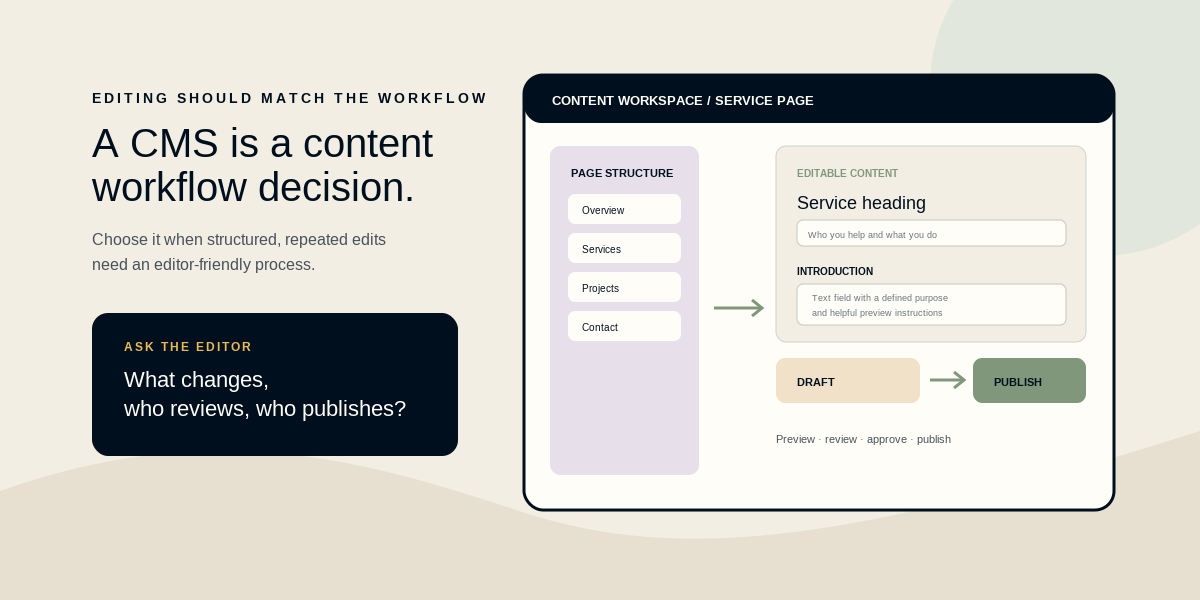
CMS website development is useful when a business needs a repeatable way to create, review and update structured website content. It may be unnecessary when pages rarely change and a simpler editing or developer-managed workflow is easier to maintain. Choose a CMS by mapping who edits which content, how often, with what approval and access requirements.
TL;DR
- Decide based on the editing workflow, not on the assumption that every site needs a CMS.
- Define the content types, fields, permissions and review steps editors actually need.
- Include migration, training, account ownership and post-launch responsibilities in scope.
- Keep public content, internal data and structured metadata consistent across templates.
When CMS website development makes sense
A CMS can help when staff update service pages, publish projects, add articles or manage other structured content without requesting a developer change for each item. It is most useful when the workflow is understood: someone creates content, another person may review it, and an authorized user publishes it in a consistent format.
A CMS adds software, permissions, hosting or platform decisions, editor training and maintenance responsibilities. If the site has a small number of stable pages, a simpler build can be easier to keep accurate. Compare the expected editing effort with the cost and complexity of operating the CMS.
| Your situation | What to evaluate |
|---|---|
| Pages change often | How many updates happen and who makes them? |
| Content repeats in a pattern | Could structured fields keep projects, services or articles consistent? |
| Several editors contribute | Do you need different edit, review or publish permissions? |
| Content has a review process | Would drafts, previews and approvals help prevent accidental changes? |
| Updates are rare and developer-led | Would a simpler workflow be lower effort to operate? |
Define the content model before choosing the editor
A content model describes the information each page or item needs. For a case study, that might include title, project context, role, images, results that can be verified and related service. For a service page, it could include audience, scope, process, supporting proof and a contact action. Defining those fields first helps avoid giving editors a blank page that is easy to format inconsistently.
- Name the content types the team maintains, such as services, articles or projects.
- Identify required and optional fields and how media or links are selected.
- Decide what content should be reused and what belongs only to one page.
- Set simple validation rules so required titles, images or destinations are not omitted.
- Plan how older or unavailable content is archived, redirected or removed.
The goal is an editing workflow around real updates, not a platform feature list. The mobile-first business website checklist can help clarify the pages and audience questions before an editor is designed.
Plan editor roles, preview and approval
Agree who can create, edit, review and publish. A small team may need only one editor, while a larger organization may separate contributors and approvers. Use individual accounts where supported, assign only the access people need and define how access changes when a staff member leaves.
- List the people who create, approve and publish content.
- Decide whether drafts need approval before publication.
- Show editors how to preview the page with the fields and media they selected.
- Explain which content changes are safe to make and which should be requested from a developer.
- Provide a short handover guide and account recovery or access-change process.
Editor experience includes the page preview, useful labels and safe defaults. A flexible field is not automatically a helpful field; ask a new editor to make a real update during review and note where instructions or validation are missing.
Compare CMS flexibility with operating effort
A CMS should make the required updates easier without adding unnecessary plugins, permissions or duplicated content. Ask which features are provided by the platform, which require paid extensions and who maintains those dependencies. Consider account subscriptions, backups, security updates, hosting, upgrades and editor training alongside the development scope.
| Topic | Clarify |
|---|---|
| Platform | Why does the CMS fit the content and editor workflow? |
| Editing | Which page types and fields can staff change without development? |
| Access | Who owns accounts and what roles or permissions are configured? |
| Migration | Which existing pages, media and URLs need to move? |
| Ongoing work | Who handles updates, backups, paid tools, support and new functionality? |
Protect content and search foundations during a CMS migration
If the CMS is replacing an existing site, inventory the pages, media, forms, links and URLs that people use. Decide which content should move, be combined, be rewritten or be removed. Map changed URLs, preserve useful internal links and verify that the new site uses the correct page titles, descriptions and indexing settings.
Google's current guidance for AI features in Search recommends the same foundational practices as SEO: important content should be available as text, pages should be findable through internal links, and structured data should match visible content. There is no required AI-only CMS markup. See the Google Search Central AI features guide.
A CMS helps only if the team can keep content accurate after launch. Peak Web Craft includes editable content areas when agreed in the business website development scope and documents the editing guidance and ownership included at handover.
A short CMS readiness checklist
- We know which content changes and how frequently it changes.
- Each editor understands which content they can update and who approves it.
- The content fields match the information the public page needs to show.
- Editors can preview their changes before publication.
- The organization knows who owns the CMS, hosting, domain and paid extensions.
- Training, backups, updates and support responsibilities are documented.
For a vendor-ready version of the broader requirements, use the web development studio brief checklist.
Frequently asked questions
What is CMS website development?
CMS website development builds a website with an editing system that lets authorized people create or update defined types of content. The scope includes the content model, editor experience, access, templates and handover needed for the business workflow.
Does every business website need a CMS?
No. A CMS is useful when content changes regularly or multiple editors need a structured workflow. Stable sites with infrequent updates may be simpler to manage through another approach.
What should a CMS website development company include?
Clarify the CMS choice, content types and fields, editable areas, access roles, migration, preview and approval workflow, training, account ownership and post-launch responsibilities.
Can my team edit every part of a CMS website?
Not necessarily. The scope should identify which text, media or structured records editors can change and which design or functional changes still require development.
Does having a CMS improve SEO automatically?
No. A CMS can make publishing easier, but search visibility still depends on useful content, crawlable pages and links, accurate metadata, technical setup and other factors. The editor workflow should support those tasks without promising rankings.