
01
Collection browsing
Plan collections, product details and editorial content so visitors can explore the range and find the right product. Identify what your team will update regularly.
Ready-to-buy items and made-to-order work can require different next steps. Clarify which products have a public price, which can be bought online and which need a conversation about availability, fit or customisation. A product page should make its next step clear.
A price-on-request route still needs useful product information. Agree collection structure, images, specifications and the context staff need to respond. An enquiry button is the beginning of a process, not the complete sales workflow.
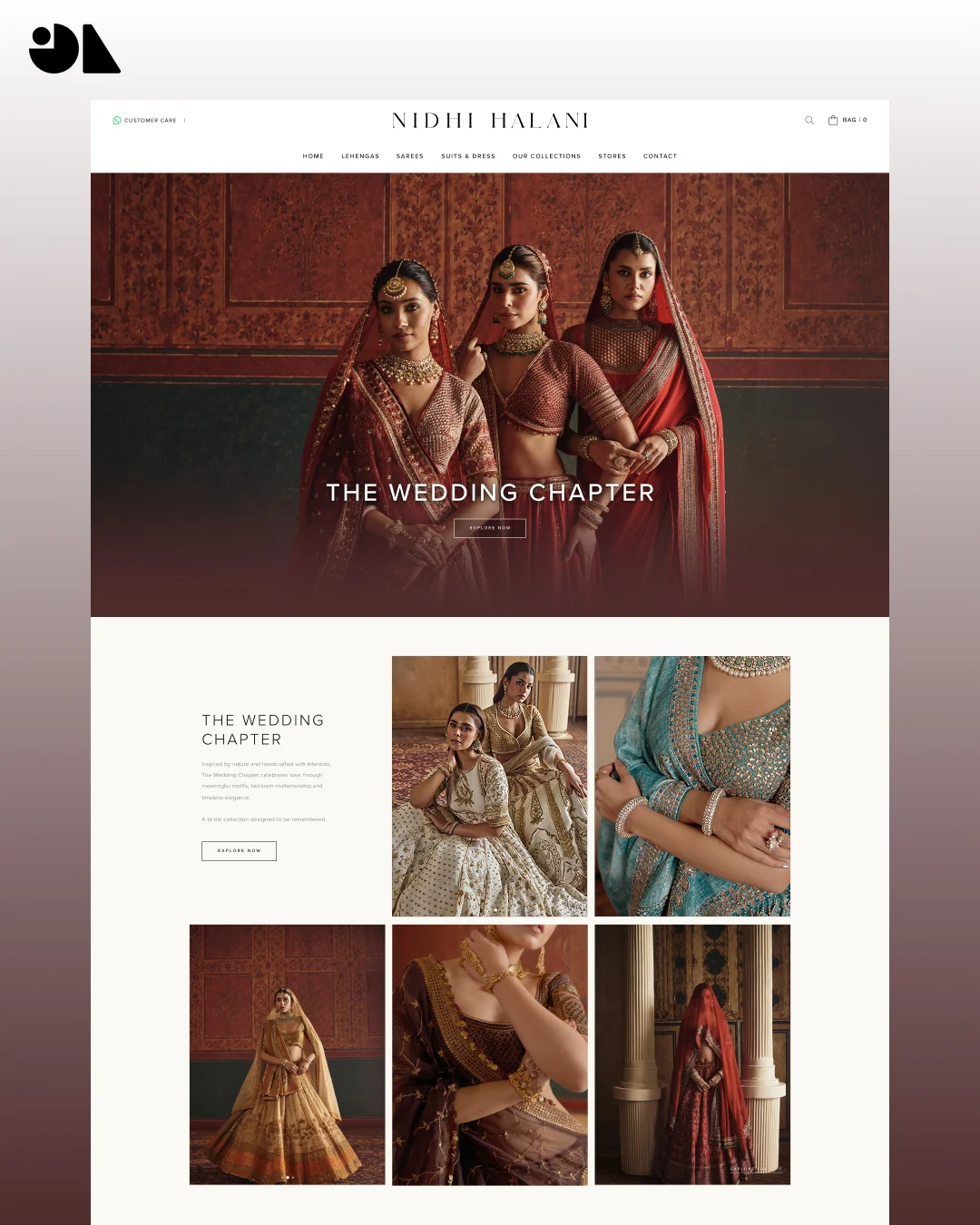
The Nidhi Halani case study documents Shopify theme work, collection browsing, editorial layouts and product-specific consultation enquiries. It is a relevant example of presenting a couture collection while giving visitors a route to discuss an individual product.
We explain the delivered behaviour and design decisions. We do not claim a sales or ranking uplift without measurements. Your catalogue rules and staff workflow need to be assessed separately.
Plan collections, product details and editorial content so visitors can explore the range and find the right product. Identify what your team will update regularly.
Specify buyable, enquiry-only or mixed product rules. Check product pages and other entry points so customers are not offered conflicting actions.
Choose theme settings and repeatable sections around routine updates. Agree product data preparation, training, integrations and any ongoing changes separately.
Define the context passed with a consultation enquiry, such as product name or reference and the question the customer wants answered. Keep the form short and decide who receives it. WhatsApp can be one option alongside an email or form route.
Agree how staff handle the next steps: confirm requirements, explain availability, prepare a quote and arrange an order where appropriate. Do not make the storefront promise a response time or fulfilment date that the operating team cannot support.
Review enquiry-only and buyable examples from collections, search and featured sections on both mobile and desktop. Check that the product action is consistent, staff receive the expected reference and an unavailable form service gives the visitor a useful fallback.
For checkout products, include the agreed cart, payment and order scenarios. For product enquiries, test confirmation and staff handoff. Migration, subscriptions, paid apps, custom applications, Shopify Plus and ongoing marketing are not assumed parts of a theme project; each requires an explicit fit and scope discussion.
A Shopify storefront can be planned around catalogue browsing and product enquiries. The implementation needs clear product rules and a review of the theme, other sales channels and merchant workflow.
Not necessarily. We assess whether a suitable theme can support the layouts, editing controls and product actions. Custom development should follow a specific requirement.
We discuss technical and on-page foundations with the build. Ongoing SEO, content work and advertising are separate scope decisions; this page does not promise those services as part of every storefront.