
Shopify & Ecommerce
Moving from WooCommerce to Shopify: A Migration Plan for Products, Orders and SEO
Plan your WooCommerce to Shopify migration with data checks, URL mapping, payment tests and a launch checklist. Scope your store’s move.
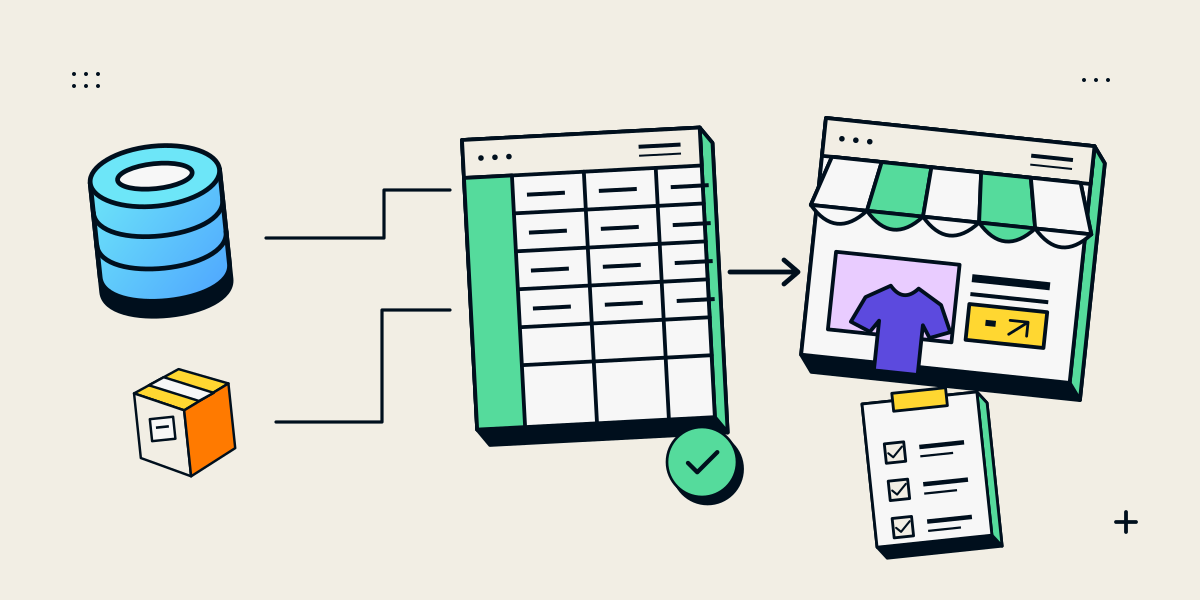
A WooCommerce to Shopify migration involves decisions about your catalogue, customer records, order history, website addresses and the systems that keep orders moving. The safest starting point is to define what must survive the move and how you will verify it before switching the live store. An import-complete message is one checkpoint; customers and staff still need a working store.
TL;DR
- Inventory your data, important URLs and plugin-dependent workflows before choosing a migration method.
- Separate records that can be imported from functionality that needs rebuilding or a supported replacement.
- Map changed URLs to relevant destinations and investigate Shopify’s redirect restrictions early.
- Test payments, stock, notifications, fulfilment and refunds against clear acceptance criteria.
- Agree who owns the final data sync, launch decision and recovery plan.
Should you move to Shopify—or keep the store on WooCommerce?
Move when Shopify can support the buying journey and operating model your business needs. If an essential workflow remains unresolved, investigate it before committing to the migration.
I recommend starting with the requirements that would prevent the business from operating if they disappeared.
Check the workflows your store cannot lose
List how customers select products, pay, manage accounts and receive support. Then document the staff tasks behind those journeys.
| Requirement | Evidence needed before committing | Decision if unresolved |
|---|---|---|
| Configurable products | Demonstration using your actual option combinations and pricing rules | Investigate product restructuring or supported development |
| Recurring purchases | Confirmation that the subscription app, payment method and migration route are compatible | Postpone the move until continuity is understood |
| Inventory or accounting integration | Tested exchange of the required records and status changes | Resolve the integration before scheduling launch |
| Specialist WordPress content | An agreed destination and editing workflow | Retain the appropriate content system or reconsider the scope |
| Customer-specific buying rules | A working example of the required approval, pricing or ordering process | Check platform, plan and app requirements |
This is a decision worksheet, not a claim that any particular feature requires custom development.
Separate platform problems from other problems
A migration is unlikely to resolve unclear product information, unreliable stock records or an unowned customer-support inbox by itself. Include those improvements explicitly if they are part of the project.
Staying on WooCommerce can be appropriate when the current system supports essential workflows and the underlying problem can be addressed there. Avoid committing to a platform move simply because a different storefront looks more attractive.
What can move across, and what needs separate work?
Products, customers and historical orders have different transfer routes. Treat each data type separately.
| Item | Route to evaluate | Acceptance check |
|---|---|---|
| Products | Shopify Store Migration app, formatted product CSV or a suitable migration app | Correct variants, prices, images and availability |
| Customers | Store Migration app, customer CSV or a suitable migration app | Correct profiles, addresses and consent fields |
| Historical orders | Suitable migration app or reviewed custom implementation | Correct customer links, line items and statuses |
| Pages and blog posts | Content recreation or a suitable migration app | Content, media and destination URLs checked |
| Reviews and coupons | Supported app workflow or recreation, depending on the item | Associations and rules verified |
Shopify’s current WooCommerce guide describes its Store Migration app as supporting products and customers. Historical orders are not supported by Shopify’s native CSV import route. An app may accept a spreadsheet of orders, but that is a separate capability. Shopify’s WooCommerce migration guide
Customer records are not the complete account experience
A customer CSV does not import order information or the Total Spent and Total Orders values. Preserve recorded marketing preferences rather than marking every imported customer as a subscriber. Shopify customer import documentation
Existing passwords do not transfer. Shopify’s current customer accounts use an emailed verification code; legacy accounts require a different activation approach. Test the account experience you intend to offer and prepare a clear customer explanation. Shopify’s customer-account migration guidance
Specialist data needs its own plan
Subscriptions and saved payment methods need separate assessment. Shopify documents gateway and payment-method restrictions for subscriptions, while payment-method migration depends on the existing provider and destination setup. Do not assume that importing customer records preserves recurring billing. Subscription requirements, payment-method migration guidance
Create one inventory with these columns:
Data or feature | Source | Destination | Method | Exception | Owner | Acceptance check
Include plugin-dependent information such as loyalty balances, memberships, product customisations and downloadable content. Each item needs either a verified migration route or an explicit decision to replace, retain or retire it.
Which migration method fits your store?
Choose the method by the records and workflows it must handle—not just the number of products.
Compare native imports, migration apps and custom handling
| Approach | Evaluate it when | Check before choosing |
|---|---|---|
| Native import options | The required data fits the documented formats and supported entities | Field mapping, exclusions and repeat-import behaviour |
| Migration app | You need broader entity coverage or a documented source-to-destination workflow | Supported fields, exceptions, logs, updates and support |
| Custom implementation | Important data or relationships fall outside supported tools | Scope, permissions, error handling, reconciliation and maintenance |
WooCommerce’s built-in product exporter can include custom metadata. Exporting a field does not establish how it should be represented or used in Shopify; document the destination separately. WooCommerce product export documentation
For an app-based approach, inspect its current instructions. For example, Matrixify documents a dry-run and import-result review workflow. That is useful when assessing how a tool lets you examine data before completing a transfer. Matrixify’s WooCommerce migration tutorial
Run a representative sample
Choose records that expose complexity: a variable product, an active sale, unusual images, custom fields and representative customer and order records where supported.
Shopify warns that product CSV overwrites can clear existing values when included fields are blank. It also documents changes to variant IDs when option values are changed. Review overwrite settings and integration dependencies before repeating an import. Shopify product CSV guidance
Shopify’s Store Migration app also has a specific variation limitation: a WooCommerce product using four or more variation attributes is imported without variants. Identify affected products before selecting that route. Store Migration app considerations
Illustrative sample review—not a client result:
| Sample record | Expected result | Observed result | Decision |
|---|---|---|---|
| Standard product | Correct SKU, price and images | All checked fields match | Accept |
| Configurable garment | Every intended combination remains selectable | One required option is absent | Resolve the product model before full import |
| Historical order | Correct customer, items and status | Customer association is missing | Correct mapping and retest |
A successful sample gives you evidence about those records. It does not remove the need to reconcile the full import.
How should you map WooCommerce URLs to Shopify?
Build an inventory of existing entry points, then decide what should happen to each one.
Use your sitemap, a crawl of the existing website and available search and analytics data. Include important product, category, editorial and media URLs. Shopify’s SEO migration guide recommends combining these sources so a crawl alone does not define the inventory. Shopify SEO migration guidance
Match pages by purpose
Google recommends mapping old URLs to their relevant new destinations, updating internal links and using permanent redirects. Where content genuinely disappears without a suitable replacement, a proper not-found response can be appropriate. Redirecting unrelated pages to the homepage is not a useful substitute. Google’s site-move guidance
The following paths are illustrative:
| Old path | Intended destination or decision | Acceptance check |
|---|---|---|
/product/linen-shirt/ | /products/linen-shirt | Permanent redirect reaches the matching product |
/product-category/shirts/ | /collections/shirts | Destination serves the same browsing purpose |
/old-season-lookbook/ | Relevant replacement, or a genuine removal decision | No misleading homepage redirect |
/shop/special-range/ | Investigate platform restrictions before deciding | Supported routing solution demonstrated |
Identify exceptions before launch
Shopify documents restricted redirect prefixes, including /shop, and fixed paths that cannot be redirected through its normal redirect controls. It also states that redirects do not work from URLs that still serve valid pages. Shopify URL redirect documentation
Do not assume an old WordPress redirect rule will handle requests after the domain points to Shopify. Confirm which system will receive each request and where the redirect will run.
Use this worksheet structure:
Old URL | Page purpose | New URL or removal decision | Redirect mechanism | Expected response | Actual response | Final destination | Owner
For each mapped redirect, check the status, destination, page content and canonical URL—the preferred address declared by the page. Confirm that an apparently successful destination is not an error page returning a success status.
Keep the richer worksheet as your review record. Prepare a separate import file in the format required by the chosen redirect tool.
Rebuild the storefront and operating workflows
Document what each existing plugin or custom feature does before choosing its replacement.
“Replace the plugin” is too vague. “Let customers upload a reference image with the order, and make that image available to production staff” is a requirement that can be tested.
Preserve useful customer journeys
Review navigation, collection browsing, search, product information, options, enquiry routes and checkout. Keep useful content available while identifying the changes genuinely required by the new platform.
For storefront decisions, compare theme customisation and custom theme development. A migration does not automatically justify a fully custom theme.
If you also want a substantial redesign, distinguish that work in the scope and use the Shopify store redesign checklist to plan its additional checks.
Assign responsibility behind the storefront
For every integration, record:
- Which system owns the authoritative product, stock or order record.
- What information moves between systems.
- Which event starts the transfer.
- How staff discover and resolve a failed transfer.
- Who maintains the connection after handover.
I would also keep an explicit list of features being retired. This prevents an intentional scope decision from becoming a launch-day surprise.
What should Indian stores verify before launch?
Verify the payment and fulfilment setup for the actual business account, products and delivery locations.
As checked on 31 October 2026, India is not listed among Shopify Payments’ supported countries. An India-based business should confirm an eligible third-party provider rather than assume Shopify Payments will be available. Shopify Payments supported countries
Payments, refunds and cash on delivery
Prepare a requirements list covering:
| Area | What to establish |
|---|---|
| Payment methods | Methods enabled for your account and supported by the integration |
| Payment confirmation | How the store records the confirmed transaction |
| Failed or interrupted payment | What the customer sees and how staff investigate |
| Refunds | How the original transaction and refund remain identifiable |
| Commercial terms | Provider charges and any applicable platform charges |
| Cash on delivery | Availability rules, confirmation, collection and reconciliation responsibilities |
Do not assume that COD restrictions or charges implemented by a WooCommerce plugin will be reproduced by enabling a payment method.
Use the payment gateway checks for Indian stores to compare the full operating workflow.
Delivery, invoicing and accounting handoff
Document serviceable locations, shipping charges, dispatch responsibilities and what happens when an order cannot be fulfilled.
Ask your accountant to confirm the tax and invoice requirements that apply to your business. Turn those approved requirements into test cases, including cancellations and refunds. Identify which system creates the invoice and which records must reach the accounting system.
The acceptance question is practical: can the team process the order correctly from checkout through delivery and financial reconciliation?
How do you prove the new store is ready?
Use two separate checks: data reconciliation and journey testing.
Reconcile the imported records
Compare source and destination records using agreed identifiers. Check products and variants separately, since a matching product total can conceal missing variations.
Record imported, excluded, failed and duplicated items. Spot-check values as well as counts: price, stock, customer association and order status.
Before historical-order imports, review notification and integration behaviour with the selected tool. Require evidence that importing an old order will not accidentally trigger fresh fulfilment or customer messaging.
Test customer and staff journeys
Start with supported test methods. Shopify explains that test orders can check checkout and operational settings, but simulated transactions do not prove real settlement. A real-provider transaction may incur fees even if it is refunded. Shopify test-order guidance
Adapt the following checklist to the store:
| Scenario | Evidence required |
|---|---|
| Successful purchase | Correct item, amount, payment status and order record |
| Declined or cancelled payment | Clear customer outcome; no incorrect paid status |
| Discounted order | Intended eligibility and calculation |
| Unavailable item | Agreed stock behaviour |
| Delivery exception | Correct restriction, rate or next step |
| COD order, if offered | Correct status and staff handling |
| Cancellation or refund | Consistent store and provider records |
| Connected fulfilment | Correct items reach the intended system |
| Returning customer | Intended sign-in and account experience |
| Purchase measurement | Expected analytics event without an unintended duplicate |
For each test, record:
Scenario | Preconditions | Expected result | Store record | Provider/integration result | Evidence | Pass/fail | Owner
Test critical mobile journeys too, including leaving checkout for a payment application and returning, where that flow applies.
Define launch blockers
I recommend agreeing the blockers before testing begins. Examples include incorrect prices, missing essential variants, unworkable payment methods, fulfilment failures or unresolved redirects affecting important entry pages.
Minor presentation issues may be scheduled separately. Problems that prevent reliable ordering need a clear resolution before launch.
Switch stores with a controlled launch plan
The launch plan must account for changes that occur while the replacement store is being prepared.
A final data sync means transferring or reconciling records created or changed since the earlier import. Depending on the store, that can include customers, orders, stock and product updates.
Agree the change window
Decide when catalogue edits stop, how stock is reconciled and whether checkout requires a controlled pause. Name the person who can approve launch and the person responsible for each system.
Use an ordered checklist:
- Confirm recovery material. Preserve the required database, files, exports and configuration records.
- Close the outstanding data gap. Complete the agreed final sync and resolve unexplained differences.
- Confirm operational ownership. Assign existing WooCommerce orders, refunds and support requests.
- Approve the release. Review test evidence and unresolved blockers.
- Connect the production domain. Follow the current registrar-specific instructions.
- Check public access and payments. Confirm the intended store is accessible and payment providers are no longer in test mode.
- Run immediate live checks. Verify priority URLs and approved customer and staff journeys.
- Start monitoring. Keep owners available to investigate failures.
Shopify documents how to connect an existing third-party domain and notes that DNS changes take time to become effective. Build that transition into the plan rather than treating it as an instantaneous switch. Connecting a third-party domain
Make the recovery plan specific
Restoring the old storefront alone would not reconcile orders placed in Shopify after launch. Decide how those orders, payments and stock changes would be handled if the team needed to stop taking new orders or change the release.
Also document which incidents call for a targeted fix and which justify a broader recovery action. “Roll back if something goes wrong” is not enough detail for the people managing orders.
Monitor orders, search visibility and errors after launch
Check operational continuity immediately, then review search and customer behaviour over time.
The following cadence is a suggested starting point, not a required platform schedule:
| Signal | Initial review cadence | Owner | Investigate when |
|---|---|---|---|
| Payments and order status | At launch and through the first live orders | Store operations | Provider and store records disagree |
| Stock and fulfilment | Through initial orders and daily during stabilization | Operations/integration owner | Items, quantities or destinations differ |
| Important old URLs | At launch and after redirect changes | Developer/SEO owner | Wrong destination, loop or unexpected error |
| Customer access and support | Daily during stabilization | Support owner | Repeated sign-in or ordering problems |
| Search visibility | Weekly initially, allowing for reporting delays | SEO owner | Important pages show unexplained changes |
| Purchase tracking | At launch and after tracking changes | Analytics owner | Missing or duplicated events |
Compare performance with a recorded baseline, accounting for stock changes, promotions and seasonality. Google notes that rankings can fluctuate while a move is processed; a checklist cannot guarantee unchanged traffic. Google’s migration guidance
Continue the broader review with the Shopify SEO checklist. Keep migration-specific findings in a dated issue log so the team can distinguish unresolved launch problems from later improvements.
Frequently asked questions
Can I migrate from WooCommerce to Shopify for free?
Some import tools are free, but the complete migration may still involve paid work or services. Data preparation, storefront configuration, integration changes, testing and support remain tasks even when the import itself has no charge.
Compare the full scope before deciding whether a free tool meets your needs.
How much does a WooCommerce-to-Shopify migration cost?
The cost depends on the data, functionality and verification work included. Catalogue complexity, historical records, custom fields, URLs, integrations and storefront changes all affect the estimate.
Separate one-time migration work from recurring platform and app costs. The Shopify website budgeting guide provides a broader framework for comparing those responsibilities.
How long will the migration take?
A reliable schedule requires an inventory and an agreed scope. Product cleanup, integration access, payment approval, content review and testing can determine the timeline as much as the transfer itself.
Ask for milestones and dependencies: sample import, storefront approval, integration testing, final reconciliation and launch readiness. Avoid treating an import tool’s processing time as the duration of the whole project.
Can I keep my domain and business email?
You can generally connect your existing domain to Shopify without moving its registration. Business email is a separate service: Shopify does not provide email hosting.
Preserve the records and subscription required by your email provider when changing storefront DNS. Check whether email is bundled with hosting you intend to cancel. Shopify domain connection guidance, email-hosting guidance
When can I retire the old WooCommerce store?
Retire it after the team has confirmed that required data and media are available, outstanding orders and refunds have an owner, and record-retention requirements have been addressed.
If continued access is necessary, agree a secured archive or limited-access arrangement and its maintenance responsibility. Do not leave two public stores accepting orders unintentionally.
A migration is ready when the important records, entry points and operating journeys have been checked—and the people running the business know what happens next. Start with the inventory, prove the difficult requirements and let the launch decision follow the evidence.