
A. Business websites
Website Maintenance Checklist and Schedule for Small Businesses
Use a practical website maintenance checklist for backups, updates, forms, links, access and quarterly content reviews, with a schedule small business teams can maintain.
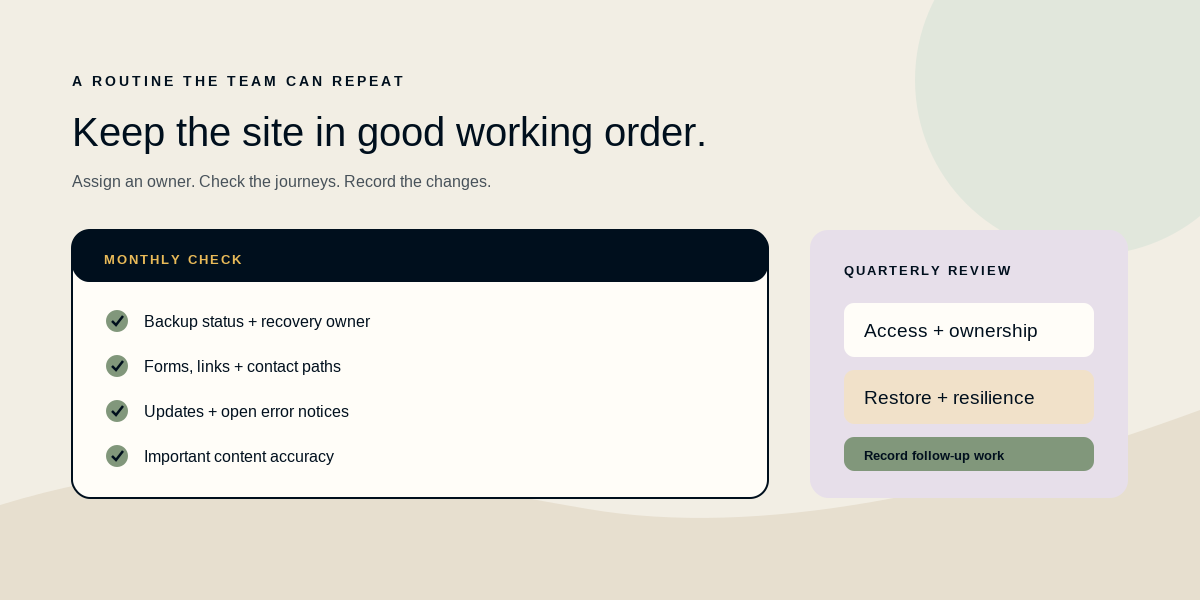
A website maintenance checklist helps a small business catch common issues before they disrupt customer journeys or leave important information out of date. Assign an owner, give checks a schedule and record what changed. The exact tasks depend on your platform, integrations and support arrangement, so use this as an operating baseline and follow the instructions for the services your site relies on.
TL;DR
- Assign an accountable owner for access, updates, backups, forms and escalation.
- Check critical customer paths monthly and after relevant releases or content changes.
- Verify that backups can be restored and that the business controls key accounts.
- Review content, contacts, permissions and technical foundations on a planned quarterly cycle.
Start with an owner and a simple maintenance record
Maintenance is easier to repeat when someone owns the schedule, knows where site access is kept and can contact the right provider. For a small team, one person may coordinate the checks while a developer or hosting provider handles technical work. Record the task, date, result, person responsible and any follow-up rather than relying on memory.
| Item | Record |
|---|---|
| Domain and hosting | Account owner, renewal contact, support route and recovery method. |
| Platform and dependencies | CMS or framework, theme, extensions, integrations and update owner. |
| Backups and recovery | What is backed up, where it is stored, who can restore and when recovery was last checked. |
| Customer journeys | Important forms, booking or payment paths, confirmation messages and delivery destination. |
| Escalation | Who to contact for a failed form, security issue, outage or unexpected content change. |
The website handover checklist can help a business collect account ownership, access and support details before maintenance begins.
Monthly website maintenance checklist
- Open the homepage, key service pages and contact route on a phone and desktop browser.
- Submit each important form with a clearly identified test entry and confirm it reaches the intended inbox or system.
- Check that telephone, email, WhatsApp, booking and map links still point to the right destination.
- Review recent updates or release notes for the website platform and its maintained dependencies.
- Check backup status and confirm that recovery instructions and ownership are still available.
- Review monitoring or error notices for unresolved outages, broken integrations or unusual behaviour.
- Scan the most visited or business-critical pages for inaccurate hours, offers, staff details or expired announcements.
- Record changes and create a follow-up item for any issue that cannot safely be corrected during the check.
A monthly review does not mean installing every available update immediately on a live site. Check the platform's guidance, understand compatibility and use an appropriate backup, staging or release procedure before changes that could affect the site. If a task needs technical access or a code change, assign it to the person responsible rather than improvising in production.
Quarterly reviews for content, access and resilience
| Review area | Questions to ask |
|---|---|
| Content and offers | Are service details, pricing references, team information and contact instructions still accurate? |
| Access and ownership | Do current staff need the access they have, and can former staff or vendors be removed safely? |
| Recovery | Does the backup include the required files and data, and is the restore process understood? |
| Forms and integrations | Do submissions reach the correct destination, and are third-party connections still authorized? |
| Search and navigation | Can visitors reach important service pages, and do important pages link to related guidance? |
| Accessibility and mobile use | Can people navigate, read, enlarge text and complete key tasks with supported input methods? |
Use the review to prioritize changes rather than redesigning every page by default. Separate a broken business-critical path, stale public information, and a lower-priority visual improvement so the team can assign and track each issue clearly.
Checks to repeat after a website change
- Identify the pages, templates, forms or integrations affected by the change.
- Check the changed page at representative phone and desktop widths.
- Test navigation, internal links, buttons and the full customer action affected by the release.
- Review titles, descriptions, headings, images and indexing settings when the page or URL changes.
- Confirm analytics or other agreed tracking continues to work without collecting data outside the approved setup.
- Record the release, result, known issue and responsible contact.
A small edit can affect a shared template or business-critical interaction. Repeat the checks that correspond to the changed component, and avoid treating a page that renders successfully as proof that every form, redirect or external service works.
Know which maintenance work needs a specialist
A business owner can review public content and run agreed enquiry checks, but software updates, backups, security investigation and integration repairs may require a qualified technical owner. Define what the internal team can safely change and how it requests support. A maintenance agreement should state response expectations, included work, access needs and exclusions.
The companion guide to website maintenance services in India explains common support responsibilities, while the website maintenance cost guide helps compare the scope behind a quote. Peak Web Craft's business website service includes scoped launch and handover work; continuing support should be agreed around the actual site and ownership needs.
Frequently asked questions
What should a website maintenance checklist include?
Include account and access ownership, backups and recovery, software or platform updates, forms and integrations, links, contact details, content accuracy, monitoring and a process for recording and resolving issues.
How often should a small business check its website?
A practical baseline is a monthly review of critical pages and customer paths, a deeper quarterly review of content, access and recovery, and targeted checks after releases or changes. The cadence should reflect the platform, business risk and support agreement.
What should I check every month on my website?
Open important pages, test key forms and contact links, review updates and backup status, inspect monitoring notices and record any inaccurate content or broken interactions.
Should I update website software as soon as an update is available?
Follow the platform and dependency guidance, check compatibility and use an appropriate release and recovery process. Updates can affect a live site, so technical changes should have a responsible owner and a way to address problems.
Can I maintain a website without a developer?
You can own routine content reviews and agreed customer-path checks. Technical updates, recovery, security investigation and custom integration work may require a developer or the relevant service provider.