
C. Shopify and ecommerce
Shopify Collection Page Design: Sections, Filters, and Merchandising
Plan Shopify collection page design around collection data, theme sections, product order, filters, merchant editing and the route into each product.
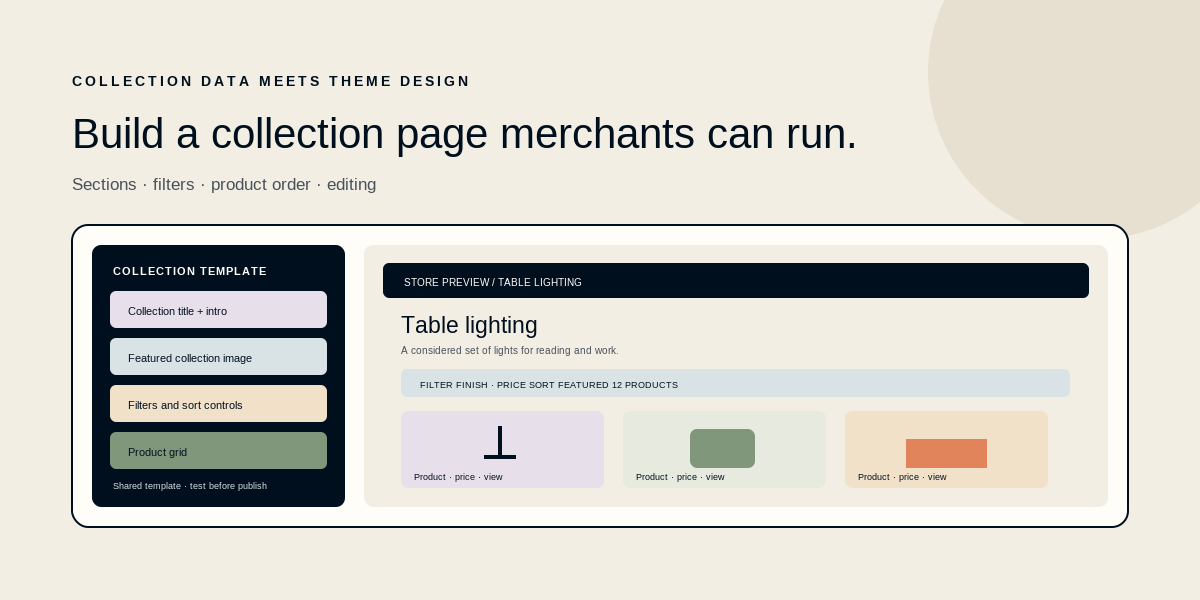
Shopify collection page design brings together two related parts of a storefront: the products assigned to a collection and the theme template that presents them. A useful page explains the product group, exposes a manageable way to browse the products and lets the merchant maintain its content and order. Start with the catalogue and customer task, then decide whether the default collection template is enough or distinct templates are needed.
TL;DR
- Separate collection data from the theme template that controls its layout.
- Use a concise introduction and sections only when they help shoppers understand the product group.
- Check that the active theme supports the filters and layout controls the store wants to expose.
- Create alternate templates only for collection groups that need a genuinely different presentation.
- Review collection links, product order, search listing details and mobile states before publishing.
Separate the collection from its template
A Shopify collection groups products; a collection template controls how a collection page is laid out. Shopify's theme structure uses templates made of sections and blocks, with available controls depending on the theme and version. See Shopify's current theme structure documentation before promising a particular section or editing control.
| Store element | What the team maintains |
|---|---|
| Collection | Title, description, products assigned, featured media and any connected collection data. |
| Collection template | Page layout, theme sections, product grid and shared presentation rules. |
| Product records | Names, images, prices, options, stock and attributes used in the collection. |
| Navigation | Menu and internal links that help shoppers reach the collection. |
| Search listing | The collection's search result title and description maintained in Shopify where applicable. |
This distinction matters when the store has several collection groups. A template can change how pages are presented, while the collection itself determines which products and content appear. Define who owns each piece before building extra templates or one-off custom sections.
Give shoppers context before they browse the collection
A collection page should identify the product group and help customers decide whether to keep browsing. Use a clear heading, relevant image or introduction, then bring the products and controls into view. Avoid lengthy editorial content that pushes the assortment far down or repeats the same generic copy across every collection.
- Use a collection name customers recognize from the navigation and product catalogue.
- Add a short description when it explains the assortment or a useful distinction.
- Choose featured imagery that represents the collection and remains legible on mobile.
- Link to meaningful sibling or parent collections when they help customers browse.
- Keep promotional modules accurate and separate from the underlying collection description.
Shopify's guidance for creating collections includes product membership, sorting, optional metafields, theme templates, search listing details and adding the collection to store navigation. Review which of those fields the merchant will keep current.
Use theme sections for a maintainable collection layout
Theme sections can arrange a collection introduction, image, editorial note, product grid or other supported content. The available sections and settings vary by theme. Before scoping custom code, inspect the active theme editor and confirm which collection values the sections can display or connect to.
| Layout choice | Useful when |
|---|---|
| Shared default template | Most collections use the same heading, introduction, controls and product grid. |
| Collection-specific content | One collection needs a distinct description, image or data value but uses the same grid structure. |
| Alternate collection template | A meaningful group of collections needs a different section order or presentation. |
| Custom section or theme work | The theme cannot provide a required interaction or data presentation through its available settings. |
Shopify explains that sections and blocks depend on the theme and that templates can be edited with sections in the theme editor. If multiple collections share a template, changes to that template can affect all of them, so test with representative collections before publishing.
Choose product order and filters from customer decisions
The product order should reflect a deliberate merchandising rule that the store team can maintain. Filters should use product attributes that are complete and understandable. A collection with a small fixed assortment may not need a complicated filter system; a larger catalogue with meaningful dimensions may benefit from options that reduce scanning effort.
- List the product attributes customers use to compare items in this collection.
- Check that the product data is consistent enough to power a filter or sorting choice.
- Choose a default order that matches the collection's purpose and merchant workflow.
- Show selected filters and a clear way to adjust or remove them.
- Test combinations that return few products or no products and provide a recovery route.
- Review product order and filter labels after the merchant updates the catalogue.
Shopify's Search & Discovery filters documentation says filter display depends on theme compatibility and describes how filter values apply to collections and search results. Confirm the store's theme supports the desired controls before treating a filter configuration as storefront-ready.
For broader catalogue architecture, including category and filter URL decisions beyond Shopify, see ecommerce category page design.
Design collection editing around the merchant's real workflow
A collection page remains useful only if the team can update its products, descriptions, featured content and ordering without relying on undocumented workarounds. Show the merchant where each value lives, which changes affect one collection and which alter a shared template. Separate routine content updates from theme code changes.
- Choose representative manual and automated collections and verify their membership rules.
- Document how a product is added, removed or moved between collections.
- Identify which page copy and imagery the merchant can edit in the admin or theme editor.
- Name template variants clearly so staff can select the intended one.
- Agree who tests the preview and approves the live collection after an update.
- Record any custom fields, sections or app dependencies needed for the layout.
If a collection page needs product-specific fit, price or option details, those belong in the product records and product page experience too. See the guide to Shopify product pages for variant-rich catalogues.
Check collection links, search details and mobile behavior
Before launch, confirm that important collections are linked from menus or related pages, each collection has a stable destination, and the page title and description accurately represent its assortment. Google recommends crawlable navigation paths to ecommerce categories and products; see Google's ecommerce site structure guidance. Search visibility is not guaranteed by a theme change or metadata field alone.
| Check | Acceptance question |
|---|---|
| Collection URL | Does the intended collection resolve and use the consistent store URL? |
| Navigation | Can a visitor reach it from a relevant menu or another crawlable page? |
| Products | Are the expected items present, available and in the intended order? |
| Search listing | Do the title and description accurately describe the collection? |
| Mobile layout | Are the heading, filters, sort controls and product grid usable on a phone? |
| Template assignment | Does this collection use the intended template without changing unrelated collections? |
For a cross-platform comparison of category structure, filters and indexing choices, see ecommerce category page design. Peak Web Craft's Shopify website development service scopes storefront design with collection browsing and merchant operations in view.
Frequently asked questions
What is a Shopify collection page?
It is a storefront page for a Shopify collection, which groups products. Its theme template controls the layout and sections used to present the collection and its products.
Can different Shopify collections use different layouts?
A store can use alternate collection templates when its theme supports them. Use a separate template for collection groups that need a meaningful layout difference and check how template edits affect every collection assigned to it.
Can Shopify collection pages have filters?
Shopify supports collection and search filters through its Search & Discovery features when the active theme or custom storefront supports displaying them. Confirm compatibility and test the filters on the storefront.
What should a Shopify collection page include?
Usually include a clear collection name, useful context when needed, an accurate product assortment, suitable ordering and filtering controls, and links that help customers browse to relevant collections and product pages.
How do I improve a Shopify collection page for search?
Use a clear collection name and useful content, keep the collection reachable through internal navigation, maintain accurate search listing details and ensure the product grid links to the intended product pages. These steps support discoverability but do not guarantee rankings.