
C. Shopify and ecommerce
Ecommerce Category Page Design: Merchandising, Filters, and Page Structure
Plan ecommerce category pages with clear hierarchy, useful product discovery, filters, sorting, merchandising and deliberate search-friendly URL handling.
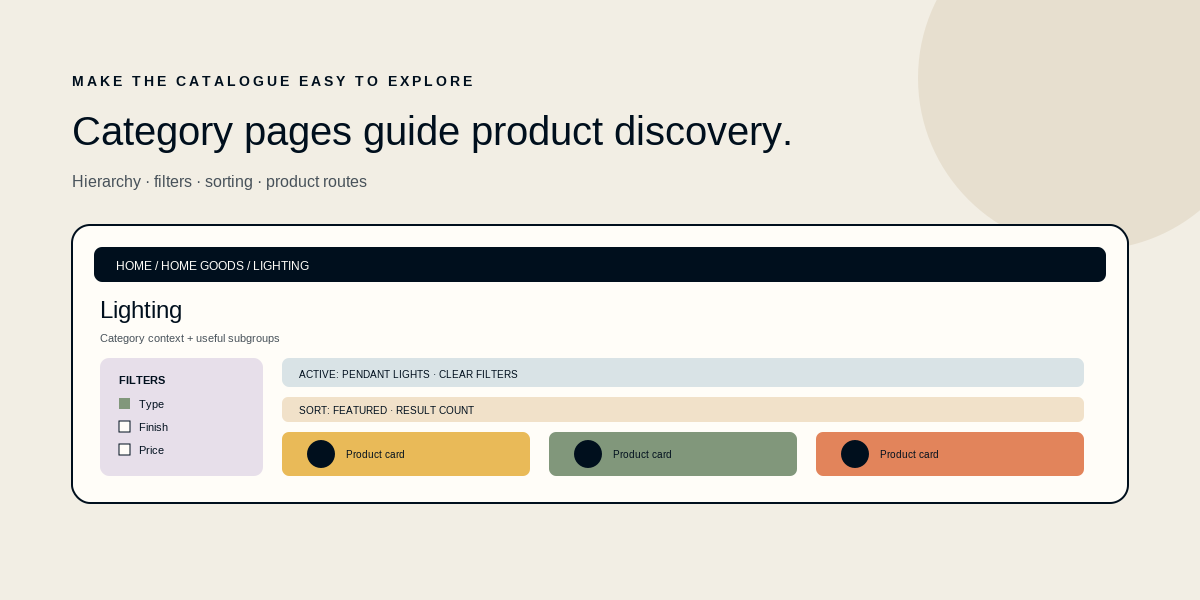
Ecommerce category page design connects catalogue structure with the way shoppers narrow, compare and open products. A useful page makes the current category clear, presents relevant subcategories or products, and offers filters and sorting only where they help the buying task. The page also needs stable links and deliberate URL handling so navigation, product discovery and search crawling support the same catalogue.
TL;DR
- Organize categories around distinctions customers can understand and use.
- Choose filter attributes from accurate product data and the decisions shoppers need to make.
- Keep selected filters, result feedback, sorting and empty states understandable on mobile and desktop.
- Decide which category and filter URLs are useful public pages before making them crawlable.
Give each category page a clear browsing job
A category page may introduce a broad part of the catalogue, route shoppers into meaningful subcategories or display a product listing that can be filtered and sorted. A product page focuses on one item; search results respond to a query; filters refine a product set; sorting changes the order of that set. Decide which job a page needs to do before choosing its layout.
| Page or control | Primary job |
|---|---|
| Category page | Explain a product group and help shoppers navigate to a useful subset. |
| Subcategory page | Provide a distinct destination for a narrower product need or type. |
| Product listing | Display products together so visitors can browse and compare options. |
| Filter | Remove items that do not match selected attributes. |
| Sort control | Reorder the current result set using a selected criterion. |
| Product page | Explain one product's details, price, options and purchase or enquiry route. |
A page can combine a category introduction with a listing, but the content should not delay access to the products. Broad catalogues may benefit from subcategory links before the grid; a focused category may be easier to browse when products appear sooner.
Build category hierarchy around meaningful product differences
Use a category tree that reflects how customers describe and compare the catalogue. A subcategory earns a permanent destination when it represents a real product group or use case, not just a temporary combination of attributes. Keep category labels consistent across menus, breadcrumbs, page headings and internal links.
- List the product types and attributes currently maintained by the merchant.
- Group products by distinctions that affect how a customer browses or evaluates them.
- Choose short, recognizable labels for category and subcategory navigation.
- Link parent and child categories so visitors can move up or across the hierarchy.
- Review duplicate, empty or overlapping categories and decide whether to consolidate them.
Google's guidance says ecommerce navigation and cross-page links help it understand relationships between pages. Important category and product pages should be reachable through ordinary links. See Google's ecommerce site structure guide.
Use category content and merchandising with a purpose
A short category introduction can identify the product range or explain a distinction that helps shoppers choose. Use it where that context adds value, not as a long block that pushes products out of view. Merchandising can feature a relevant product, collection or promotion, but label paid or time-limited content accurately and keep it from obscuring the category's purpose.
| Element | Review |
|---|---|
| Breadcrumbs | Show the hierarchy and provide working links to parent categories. |
| Heading and introduction | Name the category and explain a useful distinction in concise visible text. |
| Subcategory links | Feature only meaningful destinations that lead to current product groups. |
| Merchandising modules | Explain the featured content and check that it does not bury browsing controls or products. |
| Product count and listing | Keep counts, results and pagination consistent with the products currently shown. |
For specific product card information such as image, price, options and availability, the separate product listing and product page guides cover those details. This article focuses on the broader category structure and filtering decisions.
Choose filters and sorting from the catalogue data
A filter is useful when the product data is accurate and the attribute helps a customer narrow the choices. Typical attributes may include size, color, brand, material, price, availability or a category-specific specification. Do not expose a filter that the team cannot keep accurate or that customers cannot interpret consistently.
- Prioritize the attributes that help customers distinguish products in this category.
- Use familiar names and consistent units or value labels.
- Show active selections and provide a way to remove one or clear the current set.
- Keep filtering distinct from sorting: filtering narrows; sorting reorders.
- Handle a zero-result combination with a clear recovery path.
- Test the filter controls, selected values and result count on mobile and keyboard.
Baymard's current ecommerce filter UX research discusses filter logic, active selections, result feedback and mobile filter interfaces. Use it as a usability reference, then validate the controls against your own catalogue and shoppers.
Design mobile, empty and changing catalogue states
On a phone, filters may need a drawer or full-screen panel, a clear apply or close action and visible selected values once a shopper returns to the results. Check that opening a filter does not erase the current scroll context and that the page communicates when products update. A desktop sidebar should not simply be compressed into a narrow column without reviewing touch and reading order.
| State | Expected behaviour to define |
|---|---|
| Default category | Show the correct heading, product set, hierarchy and available browsing controls. |
| Active filters | Expose selected values and allow a shopper to adjust or clear them. |
| No matching products | Explain the result and provide a relevant way to broaden the selection. |
| One or few results | Keep product context and controls usable without suggesting a large catalogue exists. |
| Updated inventory | Remove or update unavailable choices according to the merchant's product data rules. |
| Mobile filter drawer | Support keyboard, touch, apply, close and return to the product results. |
If a category is temporarily empty or discontinued, decide whether it should be updated, redirected or removed. Avoid leaving broken navigation destinations or making a product group appear available when it has no current products.
Make category and filter URLs deliberate
Permanent categories that provide distinct useful content can have stable URLs and links from the site's navigation. Filter combinations often create many possible URLs; determine whether any of them deserve search visibility before allowing every combination to be crawled. Keep internal links, sitemap entries and canonical signals consistent for the pages you intend to index.
Google's documentation on faceted navigation crawling explains that filter parameters can create a very large URL space. Decide which pages are useful public destinations, and work with a technical owner on crawl controls and URL rules rather than automatically exposing every combination.
For a merchant-ready scope covering categories, catalogue fields, store connections and launch checks, see Peak Web Craft's ecommerce website development service and the online store requirements guide.
Frequently asked questions
What is ecommerce category page design?
It is the planning of catalogue hierarchy, category content, subcategory navigation, product listing, filters, sorting and related states so shoppers can browse and compare a store's products.
What is the difference between a category page and a product listing page?
A category page may introduce a product group and route visitors to subcategories. A product listing page focuses on browsing a set of products, often with filters and sorting. One page can serve both jobs when the catalogue and buying journey support it.
Which filters should an ecommerce category page include?
Choose filters from accurate product attributes that help shoppers distinguish options in that category. Prioritize useful fields and avoid filters that are empty, confusing or difficult for the merchant team to maintain.
Are filters and sorting the same thing?
No. Filters narrow the product set by attributes; sorting changes the order of the products that remain. Search queries the catalogue, while filters and sorting help refine or prioritize results.
Should every ecommerce filter combination be indexed?
Not automatically. Filter combinations can produce many URLs. Decide whether a filtered state is a useful public page, then define crawl, canonical, sitemap and URL behavior with a technical owner.