
Custom Web Applications
Replace Spreadsheets with a Web App: Signs Your Workflow Has Outgrown Excel
Learn when to replace spreadsheets with a web app, how to evaluate workflow bottlenecks and what to fix before commissioning custom software.
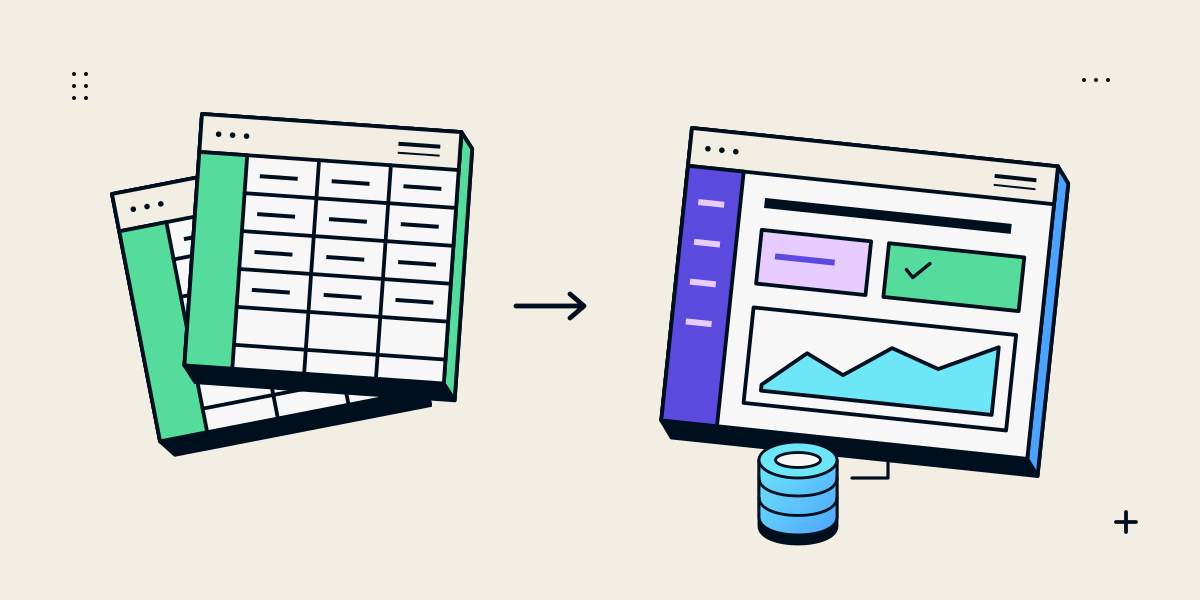
A spreadsheet is not a problem just because it is a spreadsheet
Spreadsheets are useful for analysis, planning and processes with a small number of collaborators and clear ownership. Replacing a familiar workbook with custom software adds development, hosting and maintenance responsibilities. The reason to consider a web app is that the process has needs the workbook no longer handles reliably, not that spreadsheets are inherently unprofessional.
Start by describing the work: who enters information, who checks it, what decisions depend on it and what happens when something changes. Then identify the repeated friction and the consequences of mistakes. If the issue is a missing owner, unclear instructions or inconsistent data entry, a new app may not solve it.
Signs a workflow may need a shared application
- Several people maintain separate copies and cannot tell which one is current.
- Rows are copied between workbooks, email and other systems, creating repeated entry or mismatched records.
- A sequence of approvals, exceptions and handoffs is difficult to track.
- Different roles should see or edit different records, but access is managed through a shared file.
- The team needs a reliable history of who changed a record and why.
- Reports depend on manually combining data from multiple sources every week.
- A customer, supplier or field worker needs a controlled way to submit or review information.
- The process needs timely connections to an existing system, rather than periodic file exports.
A single one of these may be manageable with better spreadsheet structure or a supported business tool. The case for an app becomes stronger when several problems recur, affect important decisions and have a clear cost in staff time, errors or delayed service.
Try simpler controls before commissioning software
Before building, check whether the current process can be made dependable with a single shared file, a named owner, protected calculation cells, dropdowns, validation, written instructions or a small automation. Review whether an existing CRM, inventory, booking or project tool already supports the workflow.
| If the main issue is… | Try first |
|---|---|
| No clear owner or process | Name the responsible role and document the current steps and exceptions |
| Inconsistent entries | Standardise columns, use validation and define allowed values |
| Several copies | Choose one controlled source and stop exchanging private versions |
| Repeated manual copying | Check an existing integration or a small automation |
| Role-specific access or audit needs | Assess a purpose-built application and its security requirements |
Define what a first version of the app must do
A web app should model the workflow, not just redraw the cells in a browser. Define the records the business needs, who can create or change each one, the states an item moves through and the rules that apply at each step. Include exceptions: a missing document, a rejected request or a cancelled order often reveals the real requirements.
- Roles: who submits, reviews, approves, fulfils and administers?
- Records: which customer, product, request, payment or task details must be stored?
- Rules: what must be valid before a record advances?
- History: what changes need a timestamp, user and reason?
- Access: which people can see, export or edit sensitive information?
- Reports: which decisions depend on which totals and filters?
- Integrations: where is authoritative data created, and which system owns each field?
Agree the data retention, backups, recovery process and access controls before migrating customer or employee information. Protecting a workbook with a password is not a substitute for designing appropriate access in a shared application. The final safeguards depend on the data and business context.
Plan migration and rollout as part of the project
- Inventory the current workbooks, owners, formulas, duplicate records and source systems.
- Confirm the rules and calculations with staff who use the process.
- Clean and map the data, and decide what should not be migrated.
- Test representative records, permissions, reports and exceptional cases in a review environment.
- Run a short parallel comparison or controlled pilot and resolve differences.
- Train users, name a support owner and set a retirement date for the old process.
A migration is complete only when staff know where the current record lives and how to recover a problem. Define how older workbook data will be retained, who can access it and when it can be deleted under the organization’s own retention requirements.
A catalogue example shows why operations matter
Our Nidhi Halani Shopify project describes catalogue organisation and automation alongside a customer-facing storefront. It is an example of how product data and day-to-day operations can be part of a commerce build. It does not imply that the project replaced a spreadsheet or that every catalogue needs a custom application; the right system depends on the process and platform requirements.
For internal tools, Peak Web Craft first needs to understand the people, data and decisions behind the workflow. The custom web application service covers discovery, system design and scoped development for requirements that existing tools do not meet cleanly.
Set success measures before the build starts
- A staff member can complete a representative task without copying data between files.
- The right people can see and change the right records.
- Approvals and exceptions have an owner and a visible status.
- Important calculations and reports match agreed examples.
- The team can correct an error and recover from a service interruption.
- A named owner can maintain reference data and request future changes.
Use a small set of real scenarios to accept the first version. If the app only works for a clean demonstration record, keep testing the exceptions staff encounter in normal work. Scope new features after the core process is working and understood.
Questions about replacing spreadsheets with a web app
When should a business replace Excel with a web app?
Consider it when recurring access, coordination, audit, integration or workflow problems cannot be addressed reliably with the current process or an existing product. Confirm the problem and cost before deciding to build.
Can an app be built directly from our spreadsheet?
The workbook is useful input, but its formulas, permissions and exceptions should be reviewed with users. A web app needs explicit data, role, validation and recovery rules.
Will a custom web app eliminate manual work?
It can automate specific agreed steps, but people still need to manage exceptions, data quality and system changes. Define the manual tasks the project intends to reduce and measure them.
Should we migrate every row from the old workbook?
Not automatically. Identify the records the new workflow needs, clean them, verify key calculations and decide how historical data should be retained before migration.
What does a custom internal tool cost?
It depends on the workflow, roles, data, integrations, security needs and reporting. A useful estimate starts with a small set of representative processes and a defined first version.