
C. Shopify and ecommerce
Core Web Vitals for Ecommerce Product Pages: A Practical Review
Review Core Web Vitals on ecommerce product pages by diagnosing image loading, variant interactions, layout shifts and field data across product templates.
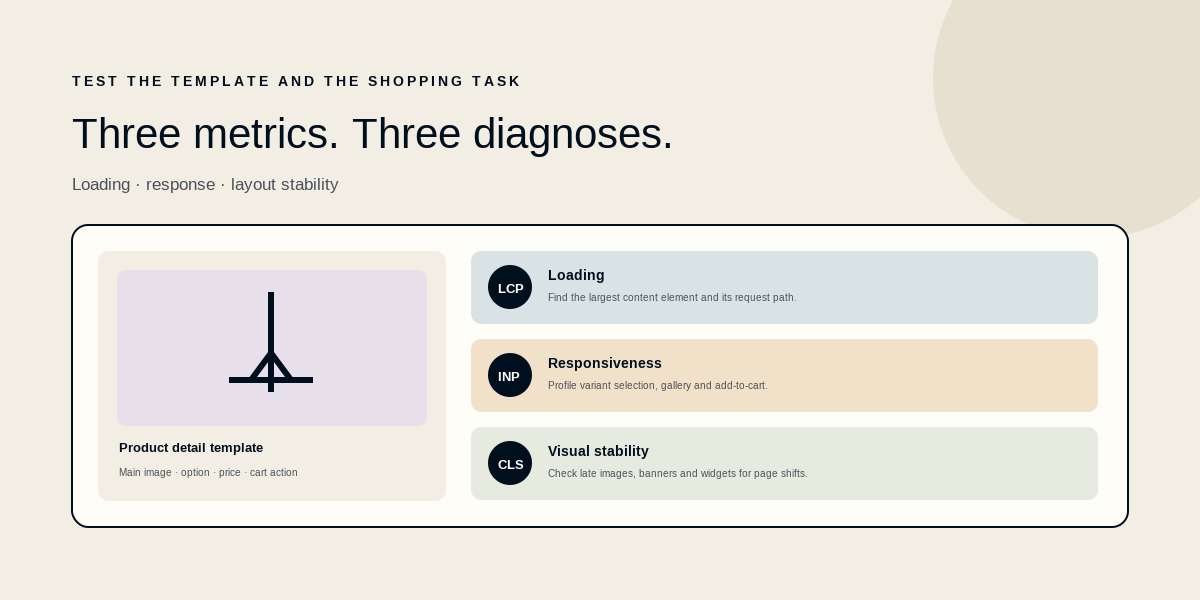
Core Web Vitals for ecommerce product pages are best reviewed by template and customer task, not by treating one test score as a diagnosis. The main product image can affect loading; variant selection, galleries and cart controls can affect responsiveness; delayed badges or image dimensions can shift the layout. Measure real-user outcomes, reproduce issues with page-level tests and prioritize changes that improve the shopping task as well as the metric.
TL;DR
- Review LCP, INP and CLS as distinct measures of loading, responsiveness and visual stability.
- Test representative product templates and variant states on both mobile and desktop.
- Use field data to understand customers and lab tools to investigate specific causes.
- Connect each fix to the page element or interaction that produces the issue.
- Core Web Vitals are useful experience signals, not a guarantee of rankings or sales.
Use each Core Web Vital to ask a different question
Google defines three current Core Web Vitals: Largest Contentful Paint (LCP) for loading, Interaction to Next Paint (INP) for responsiveness and Cumulative Layout Shift (CLS) for visual stability. The good experience targets are LCP within 2.5 seconds, INP below 200 milliseconds and CLS below 0.1, evaluated at the 75th percentile of page visits. See Google's Core Web Vitals documentation for measurement details and updates.
| Metric | Product page question |
|---|---|
| LCP | How quickly does the main product content, often the primary image or title area, become visible? |
| INP | How promptly does the page respond when a shopper selects a variant, opens a gallery or adds the item to a cart? |
| CLS | Does content move unexpectedly when images, promotions, inventory or app widgets load? |
| Supporting diagnostics | Which requests, rendering steps or scripts explain the observed field or lab result? |
A metric is an outcome, not a fix instruction. If LCP is poor, the cause might be image priority, request timing or server response. If INP is poor, inspect the interaction and the work that happens before the next visual update. Confirm the cause with evidence before changing the implementation.
Start with field data, then reproduce the page issue
Field data describes real visits across different devices, networks and storefront conditions. Lab tests provide controlled evidence for debugging one page load or interaction. Use both: field data helps identify which product template or audience segment is affected, while a repeatable test helps isolate requests, layout behavior and long tasks.
- Choose a sample of product URLs that represent template types, media sizes and option complexity.
- Check Search Console's Core Web Vitals report, PageSpeed Insights or the platform's real-user performance reporting where available.
- Record device class, URL, test type, date, metric and page changes under review.
- Repeat a lab test on the same URL and device conditions to make the investigation comparable.
- Use browser performance tools to inspect the element or interaction associated with the metric.
- Compare the result after the change and continue monitoring field data as more visits are collected.
Do not expect field metrics to update instantly after a code change. Keep a change log and distinguish a lab improvement from a sustained improvement in customer experience.
Investigate product image and content loading for LCP
The primary product media is often one of the largest visible elements and can be a useful place to investigate, but confirm which element is the LCP element on the page. Check its dimensions, responsive source, format, request priority and whether scripts or styles delay its discovery. Avoid lazy-loading the main image above the fold when that delays its display.
- Identify the LCP element in a lab trace or performance inspection.
- Compare its natural pixel dimensions with its rendered size on mobile and desktop.
- Check for competing high-priority banners, carousels or app content.
- Review the server response and CSS or script dependencies that precede the image.
- Retest product gallery behavior and visual quality after changing media delivery.
A product page also needs the item name, price and buying information to appear coherently. A fast image without clear product context does not make the shopping task complete.
Profile variant and cart interactions for INP
Choose interactions that matter to the purchase decision: selecting a color or size, switching product imagery, expanding details, opening a size guide or adding a valid variant to a cart. Check which scripts run on input and whether expensive work blocks the browser before the page reflects the change.
| Interaction | What to inspect |
|---|---|
| Variant selection | Synchronous updates, inventory requests, image swaps and selected-state feedback. |
| Gallery controls | Image loading, event handlers and controls that respond to repeated taps. |
| Accordion or tab | Content visibility, keyboard state and layout response. |
| Add to cart | Third-party scripts, cart drawer rendering and confirmation feedback. |
| Review or recommendation widget | When its code loads and whether it blocks unrelated product controls. |
Shopify's developer guidance notes that theme and app JavaScript share the browser main thread. For platform-specific diagnosis, see Shopify theme performance best practices. For a storefront-level investigation, see Shopify website speed optimization.
Prevent unexpected shifts as product content loads
Product pages can shift when media lacks reserved dimensions, a promotion bar is inserted after initial render or an app widget adds space late. Record which content moved and what triggered the movement. Reserve layout space for predictable elements, and ensure dynamic content does not push the selected variant or purchase action away without warning.
- Reserve image and video space using known dimensions or aspect ratios.
- Check banners and stock messages that appear after a delayed request.
- Review review, recommendation and chat widgets for late layout insertion.
- Avoid changing the height of sticky purchase controls without testing scroll behavior.
- Compare CLS on representative product variants and page states, not only the initial screenshot.
A stable product layout also supports usability: customers should not lose the control they were about to select because another component appeared above it.
Prioritize fixes by reach, cause and customer impact
Create a short fix list that names the affected template, metric, evidence, likely cause, owner and retest. Prioritize issues that affect many important products or block a meaningful purchase interaction. Avoid rewriting a theme because one URL scored poorly in a single run; first check if the result reproduces and whether the same pattern appears across the template.
| Field | Example of useful evidence |
|---|---|
| Template and URLs | Product template and a representative set of product pages. |
| Metric and source | LCP, INP or CLS plus the field report or lab test used. |
| Reproduction | Device, action, browser trace or element that shows the issue. |
| Proposed change | The specific image, script, style or interaction to change. |
| Functional acceptance | Variant selection, media, cart and analytics still behave as required. |
| Follow-up | Owner and date for re-test and field-data review. |
For general speed triage, see website speed optimization priorities. Peak Web Craft's SEO services and ecommerce website development can scope technical and storefront work around agreed product templates.
Frequently asked questions
What are Core Web Vitals for ecommerce product pages?
They are Google's measures of loading performance (LCP), responsiveness (INP) and visual stability (CLS), applied to real page experiences such as product detail pages.
What are the current good Core Web Vitals targets?
Google's good-experience targets are LCP within 2.5 seconds, INP below 200 milliseconds and CLS below 0.1, measured at the 75th percentile of page visits.
How do I improve LCP on a product page?
Identify the actual LCP element and inspect image dimensions, delivery priority, server response and render-blocking dependencies. The best fix depends on the measured cause.
Can variant selectors affect INP?
They can if selecting an option triggers substantial JavaScript, network work or a delayed page update. Profile the interaction and confirm the selected state, price, availability and media still update correctly.
Do good Core Web Vitals guarantee higher ecommerce rankings?
No. Good metrics support page experience, but they do not guarantee a ranking or sales outcome. Review performance alongside content, crawlability and the complete customer task.