
B. Portfolio websites
Architecture Portfolio Website Examples: Presenting Projects as Case Studies
Explore architecture portfolio website patterns for presenting site context, drawings, project decisions, finished work and enquiry paths as clear case studies.
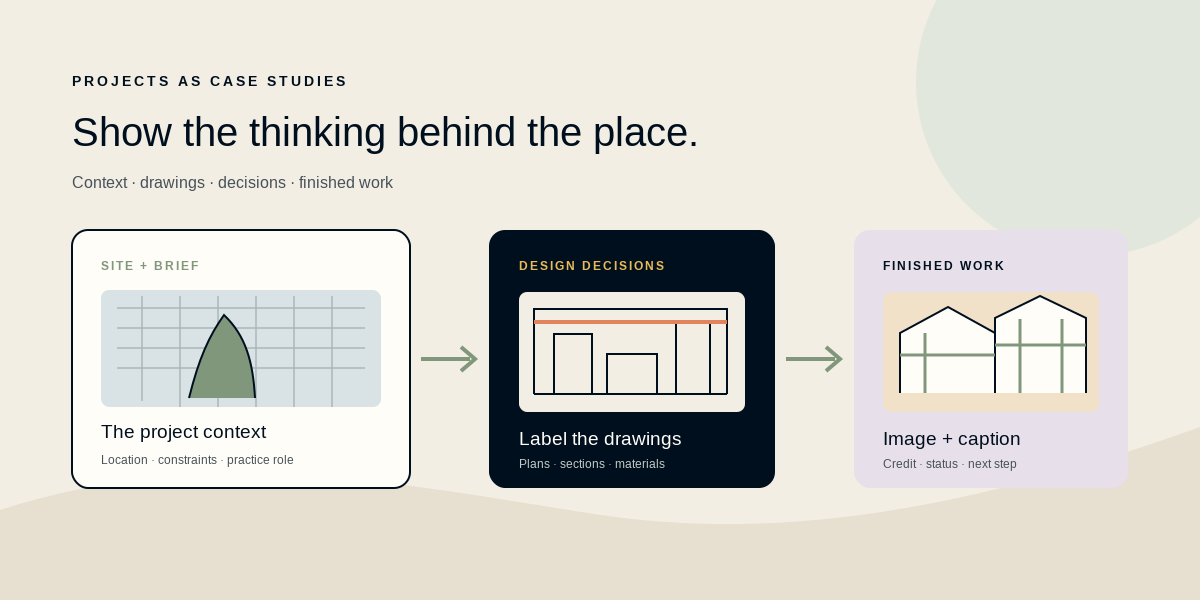
Architecture portfolio website examples are most helpful when they show how a project becomes a clear case study rather than a large gallery of finished photographs. A prospective client may need to understand the site, brief, design constraints, your role, the decisions behind the work and the final outcome. The patterns below are original structures to adapt to a practice's projects, permissions and audience.
TL;DR
- Show project context and design decisions alongside finished imagery.
- Label drawings, plans, materials and photographs so visitors can understand what each asset represents.
- State your practice's role, collaborators and project status accurately.
- Use approved images and make large visual portfolios usable across devices.
Choose an example pattern that fits the project's story
Architecture work can be presented through a project index, a long-form case study, a concise image-led feature or a project grouped by typology. These patterns are useful in different situations. A project index helps visitors compare a practice's range; a case study adds context to a complex brief; an image-led feature foregrounds a strong visual sequence. Use the format that makes the project's decisions understandable.
| Pattern | Useful when | Information to include |
|---|---|---|
| Project index | Visitors need to scan a practice's work by type, location or status. | Project name, type, date or status where appropriate, and a meaningful preview image. |
| Long-form case study | The brief, constraints and design process are important to understand. | Site context, client brief, role, decisions, drawings, material choices and final photography. |
| Image-led feature | A completed project is best explained through a coherent visual sequence. | Captions, image credits, project facts and concise context between image groups. |
| Practice or research project | The work explores a concept, competition or proposal rather than a completed commission. | Project status, intent, participants, assumptions and what was actually delivered. |
Give each architecture case study a clear project frame
Begin with enough context to help a visitor read the project: its type, location at an appropriate level, stage and intended use. Add a short summary of the brief and constraints, then state the practice's role. A client, consultant, photographer or contractor may have contributed; identify collaborators according to the project's agreements.
- Project name and typology, with the location or site context the client permits you to share.
- Project status, dates and key facts that are accurate and current.
- The brief and constraints that shaped the design response.
- The studio's scope and the responsibilities of other consultants or partners.
- Any project outcomes or performance claims you can substantiate and publish.
If a project is confidential, identify what can be shown before publishing. A redacted or anonymized case study should not reveal client, site or budget details indirectly through images, captions or downloadable files.
Use drawings and process material to explain decisions
Plans, sections, diagrams, material studies and process images can help explain how a project responds to its site and brief. Add a caption that says what the visitor is seeing and why it matters. A drawing without a label may be visually interesting but difficult for a prospective client to interpret.
| Asset | Helpful caption or explanation |
|---|---|
| Site plan | Identify orientation, access, surroundings or the site condition relevant to the design. |
| Plan or section | Name the level or cut and explain the spatial decision it helps show. |
| Concept or process diagram | State whether it is a design study, a developed proposal or a completed feature. |
| Material or detail image | Identify the material or detail and the design role it serves. |
| Construction or progress image | Label the stage and distinguish work in progress from the completed project. |
Select process visuals that add understanding rather than publishing every working drawing. Review rights, client approvals and sensitive annotations before a file becomes publicly accessible.
Sequence finished photography and media for a useful reading path
A case study can move from site and approach to key spaces, details and a closing overview. The sequence should match the project's story. Use consistent captions and credits; give important images descriptive text alternatives and avoid relying on visual detail alone to communicate a project's name or role.
- Choose a lead image that represents the project and has permission for public use.
- Group images around the spaces or decisions they explain.
- Add concise captions and credits where required by the photographer or agreement.
- Prepare suitable image dimensions and formats for each display size.
- Check loading, crops, gallery controls and captions on phone and desktop layouts.
- Provide a text route to project details so the portfolio is not only a visual grid.
Large architectural images can make the page feel slow if they are not prepared for the space in which they appear. Keep the portfolio visually strong while reviewing image sizes, layout stability and the amount of media loaded before a visitor chooses to continue.
Connect project examples to the architecture practice
A portfolio should also help a visitor understand the practice behind the projects. Explain the kinds of work the studio undertakes, its process or collaboration model and how a prospective client can begin a conversation. If the work spans different sectors or services, use navigation and short introductions to help people find the most relevant projects.
- Link project pages to relevant practice services or project types.
- Give the contact route a descriptive label and explain what information is useful in a first enquiry.
- Identify team members and collaborators accurately, with permission for published biographies and images.
- Keep practice credentials, awards and project claims current and verifiable.
- Use a short contact form that asks for enough context to respond without demanding unnecessary detail.
Peak Web Craft's portfolio website development service can include project case-study layouts, responsive galleries, media planning and an enquiry path based on the studio's brief.
Frequently asked questions
What should an architecture portfolio website include?
Include selected projects with context, project status, the practice's role, relevant drawings or process material, finished work, credits and a clear route to contact the studio.
How do I present architecture projects as case studies?
Introduce the project and brief, explain constraints and the practice's contribution, show selected design decisions with labeled drawings or diagrams, and sequence final imagery with accurate captions and credits.
Can architecture portfolio examples include unbuilt work?
Yes, when project status is stated clearly. Label proposals, competition entries and ongoing work so visitors can distinguish them from completed or occupied projects.
How should architects optimize project images for a website?
Prepare images for their display sizes, use suitable formats, write descriptive alternatives for informative images, reserve layout space and test crops and loading on mobile and desktop.
Can an architecture portfolio website include confidential projects?
Only publish information and images you are permitted to share. Review client agreements, photographer credits, site details and any sensitive annotations before making project files public.