
H. SEO, AEO, GEO and local
SEO-Friendly Web Design: Navigation, Templates, and Crawlability
Plan SEO-friendly web design around page hierarchy, descriptive internal links, crawlable templates, mobile content and technical checks that support search discovery.
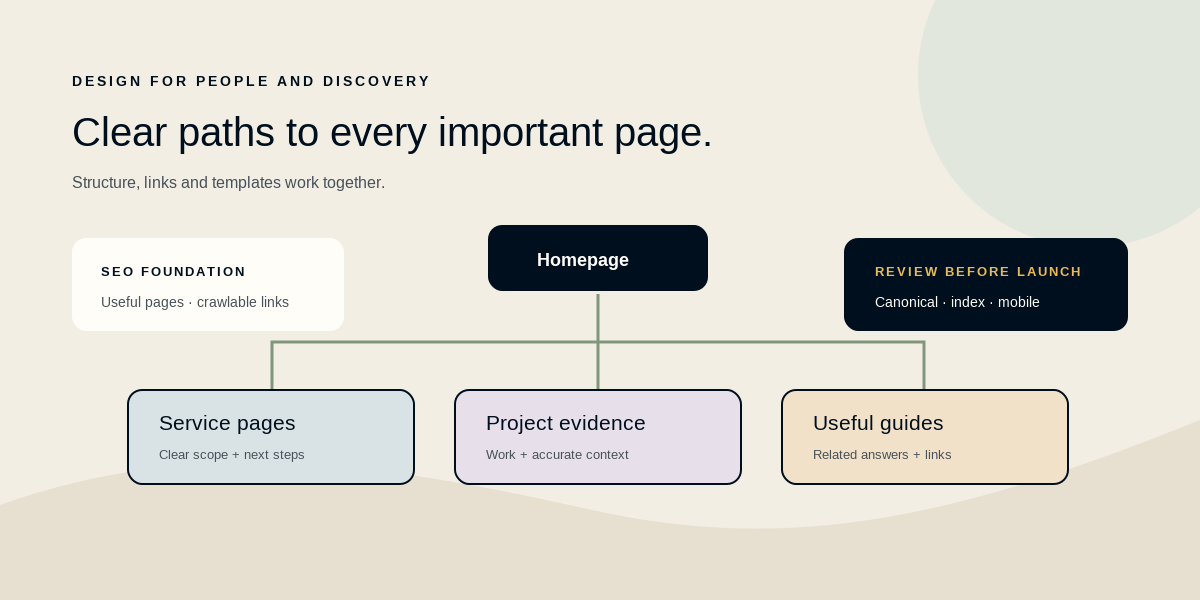
SEO-friendly web design makes important pages understandable to visitors and accessible to search crawlers. Start with a clear hierarchy, useful navigation and ordinary links between related content. Build templates that keep page titles, headings and public content available across devices, then verify crawl and indexing settings before launch. Good design supports discovery, but it cannot guarantee rankings or traffic.
TL;DR
- Give each important page a clear purpose and place in the site's hierarchy.
- Use descriptive, crawlable links to connect related pages and service content.
- Keep important page content and metadata available on mobile and desktop layouts.
- Review templates, redirects, indexing controls and structured data as part of launch QA.
Create a page hierarchy that reflects the business
Begin with the questions a potential customer needs to answer: what the business offers, which audience or situation a service fits, what evidence supports the decision and how to take the next step. Group pages around those needs. A logical structure helps people move between the homepage, service detail, project evidence, supporting guidance and contact route.
- List the important pages and the distinct question each one answers.
- Group related service pages, projects and guidance without creating empty categories.
- Choose concise labels that describe the destination in language visitors understand.
- Make sure every important page is reachable through navigation or a contextual internal link.
- Remove or combine pages that repeat the same purpose without adding useful information.
Google's Search Central recommends a logical site structure and relevant internal links to important pages. See its guidance on crawlable links and descriptive anchor text.
Use navigation and internal links to explain page relationships
Navigation should help a visitor orient themselves, while contextual links connect related questions at the moment they are useful. Use an anchor element with a real destination and link text that describes what opens. Avoid asking visitors to infer a link's purpose from a vague label such as learn more when the surrounding page does not make the destination clear.
| Element | Review |
|---|---|
| Main navigation | Does it expose the primary service and information areas without an overwhelming list? |
| Page context | Does a service page link to relevant case studies, requirements or supporting guidance? |
| Anchor text | Can a visitor understand the destination from the linked phrase and its surrounding sentence? |
| HTML output | Is the link a standard anchor with a valid href that leads to the intended page? |
| Mobile layout | Can visitors access the same important destinations when the menu changes presentation? |
A sitemap can help search engines discover listed URLs, but it does not replace useful navigation and links that connect the pages people need to read.
Design page templates that keep content distinct and crawlable
Reusable templates can keep the site's visual structure consistent, but every page still needs its own purpose and accurate content. Service pages should explain scope and audience. Project pages should present permitted evidence and the work completed. Articles should answer a defined question and link to the service or next resource that fits naturally.
- Use one clear primary heading that describes the page topic.
- Create page titles and descriptions that accurately summarize each unique page.
- Render important public copy as readable text rather than embedding it only in images.
- Use descriptive image alternatives when an image communicates information; avoid keyword stuffing in alt text.
- Make structured data describe visible content and use the appropriate type for the page.
- Review repeated template elements for duplicate titles, headings or placeholder descriptions.
If a team uses a CMS, define fields that encourage distinct titles, introductions, images and page content. A template should guide editors toward useful and complete pages rather than produce many near-identical URLs.
Keep important content available across screen sizes
Responsive design changes how a page is arranged; it should not make important service information, navigation, links or metadata inaccessible. Test the mobile presentation with the same content, real copy lengths and working controls. Check that menus and forms work with touch and keyboard, and that text remains readable when enlarged.
Google's mobile-first indexing guidance says responsive sites serve the same HTML and URL while the layout adapts, and recommends keeping important content, metadata and structured data available in the mobile version. For broader responsive page checks, see the responsive design best-practices guide.
Review image weight, layout stability and interaction responsiveness as part of user experience. Google's Core Web Vitals guidance describes loading, interactivity and visual stability metrics; those checks inform quality work but do not guarantee rankings.
Check crawlability and indexing settings before launch
| Check | What to confirm |
|---|---|
| Public URLs | Important pages return the expected response and are not accidentally blocked from crawling or indexing. |
| Redirects and canonicals | Changed URLs point to the intended replacement, and canonical signals identify the preferred URL. |
| Sitemap | The sitemap lists the canonical public pages intended for discovery. |
| Internal links | Important pages are linked through the site's navigation or relevant content. |
| Structured data | Markup is valid, relevant to the page and consistent with visible content. |
| Rendered content | Key text, links and page controls appear in the rendered page, including at mobile sizes. |
Use the website launch SEO checklist for a detailed pre-release review. Google's guidance for AI features in Search points back to foundational SEO practices: useful content, crawlable discovery and accurate structured data. It does not require special AI-only markup; see the Google Search AI features guide.
Frequently asked questions
What is SEO-friendly web design?
SEO-friendly web design organizes pages clearly, uses crawlable links, presents distinct useful content, adapts to different screens and allows search engines to access and understand the public pages. It supports discoverability but does not guarantee a ranking.
How should I structure a website for SEO?
Group pages around distinct business services and visitor needs, use understandable navigation and link related pages with descriptive anchor text. Ensure important pages can be reached through ordinary links and are not unintentionally blocked.
Do internal links help SEO?
Internal links help people move between related information and help crawlers discover pages. Use relevant destinations and descriptive link text instead of adding links without a clear user purpose.
Does responsive web design improve SEO automatically?
Responsive design can provide a consistent mobile experience and is a configuration Google recommends. Rankings still depend on relevance, content, crawlability and other factors; responsive layout alone cannot guarantee visibility.
Does AI search need special website schema?
Google's current guidance says the foundational SEO requirements apply to AI features in Search and there is no special AI-only schema requirement. Structured data should be accurate and match visible page content.