
CLAUDE AI / LOCAL BUSINESS DEMOS
Claude AI Website Prompt: Create a Personalized Website Demo for Any Local Business
In short: This is a ready-to-use Claude AI prompt that builds a personalized, single-page website demo for a local business from five details: business name, category, address, phone number and target location. You paste it into Claude, publish the result free on Cloudflare Pages, and share the live link with the owner by phone call or WhatsApp. The product includes the prompt and the complete workflow, from finding businesses on Google Maps to contacting them.
Pitching website services to local businesses usually starts with a message that asks, "Do you need a website?" Owners get that message all the time, and it is easy to ignore.
This prompt changes the order of events. You build first and pitch second: a real, working website demo with the owner's own business name on it, ready to open on their phone. You are no longer asking them to imagine a website. You are showing them one.
01 / THE WEBSITE DEMO PROMPT
At a Glance
| Product | Claude AI website demo prompt for local businesses |
|---|---|
| Type | Digital product: a copy-and-paste master prompt plus a step-by-step workflow |
| Works with | Claude AI |
| You provide | Business name, category, address, phone number, target location |
| Claude produces | A single-page, responsive business website in one standalone HTML file |
| Hosting | Free option covered: Cloudflare Pages (separate service) |
| Outreach included | Phone call script and WhatsApp message script |
| Coding needed | No need to write code to generate the site |
| Price | ₹50 |
02 / THE WEBSITE DEMO PROMPT
Why Most Website Pitches to Local Businesses Get Ignored
Most freelancers start the same way: they message a business and ask whether it needs a website. That approach has predictable problems:
- It feels like spam. Owners receive generic offers constantly.
- There is no trust. The owner knows nothing about you or your work.
- There is no proof. You are asking them to take your skills on faith.
- It is easy to ignore. A short text with nothing attached takes one second to dismiss.
Meanwhile, many local business owners do want a stronger online presence. They are just busy, unsure where to start, unsure who to trust, and not keen to manage a developer on top of running the business. They want to look professional online and attract more customers from Google and Instagram, but nothing in a cold message makes that feel easy.
03 / THE WEBSITE DEMO PROMPT
The Idea: Show a Working Website Before You Pitch
A personalized demo answers those objections without a long sales pitch:
- You stand out. Very few people send a finished website concept before the first conversation.
- You prove your skills immediately. The work speaks first.
- The owner can visualize their brand online. They see their own name, services and location on a real page, not a template description.
- It feels made for them, because it is. The demo is built around their specific business.
- It builds trust. You lead with something useful instead of a request.
A demo does not guarantee a reply, a sale or a client. What it does is give you a clearer, more respectful reason to start the conversation.
04 / THE WEBSITE DEMO PROMPT
What the Claude AI Website Prompt Does
This is one master prompt. You fill in five business details and Claude does the rest. The prompt asks Claude to act as a senior front-end developer and UI/UX designer at a world-class digital agency, and to build a production-quality, single-page website that is polished enough to show a real business owner as a live demo.
It starts by analyzing the business
Before writing any code, Claude is told to study the business details you supplied and decide, independently, the aesthetic direction, color palette, font pairing, section structure, copy tone and animation style. Every choice should feel native to that specific business, not copied from a generic template.
It makes its own design decisions
A salon, a gym and a clinic should not look alike. The prompt asks Claude to build a coordinated color system around the business's psychology and audience, choose two expressive Google Fonts (one for display, one for body) that fit the brand personality, and commit to one clear visual language, such as editorial, warm, bold, clinical or luxurious, across every section. It specifically steers Claude away from default-looking fonts such as Inter, Roboto and Arial.
It writes the copy and chooses the sections
Claude decides which sections to include, in what order, based on what would convert visitors for that kind of business. A navigation bar, hero section and contact/footer are always included. Headlines, descriptions, calls to action and footer text are written in full, with no lorem ipsum.
05 / THE WEBSITE DEMO PROMPT
Everything Built Into the Generated Website
| Area | What the prompt asks Claude to build |
|---|---|
| Design system | A 4–5 color palette defined with CSS custom properties, plus a two-font Google Fonts pairing |
| Page structure | Navbar, hero and contact/footer, plus sections chosen for the business |
| Imagery | Contextually relevant placeholder images with descriptive alt text and lazy loading |
| Animation | GSAP, ScrollTrigger and Lenis via CDN: a branded preloader with a smooth exit, a staggered hero reveal, scroll-triggered fade and slide animations, parallax on at least two sections, count-up statistics and a sticky navigation bar that changes on scroll |
| Interactions | A working mobile hamburger menu and hover micro-interactions on every button with smooth cubic-bezier easing |
| Responsiveness | Layouts designed to work from 320px up to 1600px and beyond |
| Code quality | Semantic HTML5 in one standalone file with CDN imports only, which opens in any browser with no setup |
| Search and sharing basics | A meta title and description, Open Graph tags and LocalBusiness JSON-LD structured data |
| Contact section | A validated form, a click-to-call link, a WhatsApp button, the business address and a Google Maps embed |
Worth knowing: The prompt asks for complete demo content, including sample testimonials and statistics, so the page looks finished. In a demo these are illustrative. Replace them with the business's real, verified reviews and figures before anything is used for real, and never present invented reviews as genuine. The contact form validates input in the browser, but it needs a form service or backend before it can actually deliver messages.
06 / THE WEBSITE DEMO PROMPT
The Five-Step Workflow: From Google Maps to a Live Demo Link
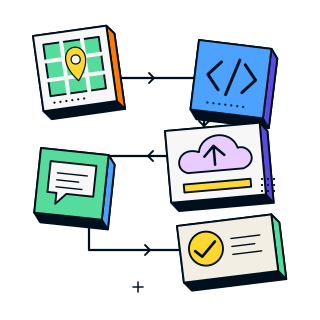
The prompt is the engine. The workflow shows you how to use it from start to finish.
Step 1: Find businesses that need a website
Open Google Maps and search for a category and area, for example "salons near me." Look for businesses that:
- don't have a website
- have an outdated website
- have poor branding
For each one you want to approach, note the business name, phone number and location. These details feed straight into the prompt.
Step 2: Give Claude the prompt
Enter the five inputs: business name, business category (salon, restaurant, store, ecommerce, gym, clinic, real estate and so on), full address, phone number and target city, state and country. Run the prompt in Claude. The instructions tell Claude to return only the raw HTML file, starting with <!DOCTYPE html>, with no explanations or extra text.
Save the output as a file named index.html and open it in your browser. Before you share it, check:
- the layout on both a phone and a desktop
- that the name, address and phone number are exactly right
- that every link, button and menu works
- that any sample testimonials and numbers are clearly treated as demo content
If something is off, ask Claude to fix it and regenerate.
Step 3: Publish the demo free on Cloudflare Pages
Cloudflare Pages has a free plan and a drag-and-drop upload that suits a single HTML file.
- Create a free account at dash.cloudflare.com.
- Open Workers & Pages, choose Create application, then under Pages select Get started and Drag and drop your files.
- Enter a project name. Adding "demo" to the name (for example
riverside-salon-demo) helps make clear it isn't the business's official site. - Drag in your
index.htmlfile. - Click Deploy site.
- Copy the
pages.devlink and open it on your phone to test it.
Cloudflare occasionally renames dashboard options. If your screen differs, follow Cloudflare's current Direct Upload guide. Hosting is a separate service from this prompt, and Peak Web Craft is not affiliated with Cloudflare.
Step 4: Contact the business owner
Share the demo by phone call or WhatsApp. The workflow includes a phone call script and a WhatsApp message script you can adapt. Both follow the same simple pattern:
- Greet them and confirm you've reached the right business.
- Say who you are and that you found them on Google Maps.
- Explain that you created a sample website demo to show how their business could look online, and mention what it includes, such as mobile responsiveness, WhatsApp and modern branding.
- Ask permission to send the link, and invite them to talk about customizing it if they like the direction.
Be honest about what the demo is. Call it a sample or unofficial concept, don't imply the business asked for it or approved it, and respect their reply.
Step 5: Understand why this approach works
Cold messages ask the owner to trust you. A demo gives them a reason to. It replaces confusion with something concrete, shows your skills without a sales speech, and makes the conversation about their business instead of your services.
07 / THE WEBSITE DEMO PROMPT
Who Is This Prompt For?
Freelance web designers and developers
Walk into every prospect conversation with something real to show instead of a portfolio of other people's work.
Agencies and small studios
Create business-specific concepts for first calls and proposal discussions, without a design sprint for every lead.
Beginners who want to offer website services
Use Claude to produce a professional-looking page without writing code from scratch, and follow a clear process for finding businesses and reaching out.
Anyone exploring AI-assisted web design
See how a detailed, well-structured prompt changes the quality of what Claude produces.
It may not be for you if…
- You want a fully automated way to find and win clients. You still do the research and the outreach.
- You need a production-ready online store, booking engine or payment system. A single-page demo is not that.
- You plan to publish AI output without reviewing it.
08 / THE WEBSITE DEMO PROMPT
Which Local Businesses Can You Create a Demo For?
The category field lets you adapt the same prompt to different businesses. Typical examples:
| Business category | What a good demo usually highlights |
|---|---|
| Salon | Services, a visual gallery, easy booking or enquiry by call or WhatsApp |
| Restaurant | Menu highlights, atmosphere, opening hours, location, reservation contact |
| Store | Product categories, what makes the shop different, location, contact |
| Gym | Facilities, classes, timings, membership enquiries |
| Clinic | Services, location, how to request an appointment (avoid unsupported medical claims) |
| Real estate | Areas served, types of property, enquiry options |
| Ecommerce | A brand and product showcase concept (checkout, payments and inventory are not part of a single-page demo) |
Always check the real details with public sources before you present anything to the owner.
09 / THE WEBSITE DEMO PROMPT
What You Get
- The master prompt, ready to copy and paste into Claude, with clear fields for the business details
- The five-step workflow, covering finding businesses, generating the demo, deploying it free, contacting the owner and understanding the strategy
- Cloudflare Pages deployment steps for putting the demo online without paying for hosting
- A phone call script and a WhatsApp message script to adapt for your outreach
What is not included
Access to Claude, hosting accounts, domains, any paid third-party services, lists of leads, or sending the messages for you. You supply the research, the review and the conversations.
10 / THE WEBSITE DEMO PROMPT
Use It Responsibly
This prompt is a fast way to a polished starting point, not a finished service.
- Review everything. AI-generated code can contain mistakes. Test the page, check the facts and fix issues before sharing.
- Be transparent. A demo made without the owner's request is an unofficial concept. Say so, and get the owner's approval before presenting anything as their real website.
- Verify the business details. Use only information you can confirm, and replace placeholder images, sample testimonials and sample statistics with real material before real use.
- Respect people's preferences. Follow any rules that apply to commercial calls and messages where you operate, and stop contacting anyone who asks you to.
- Expect more work for a live site. A real launch usually needs a working form backend, verified content, a domain, performance checks and ongoing maintenance.
- No guarantees. The prompt cannot promise replies, sales or clients. Results depend on the business, your outreach and the quality of your follow-up.
11 / THE WEBSITE DEMO PROMPT
Why Not Just Ask Claude for "a Website"?
You can. But a vague request tends to produce a vague, generic page. This prompt is built differently:
- It gives Claude a role and a standard: a senior front-end developer and designer producing work good enough to show a business owner.
- It makes Claude analyze the business first, so design, copy and structure are decided deliberately.
- It sets a specific technical bar: animation, responsiveness, semantic HTML, SEO basics and a complete contact section.
- It asks for clean output: one HTML file you can open and deploy immediately.
- It sits inside a workflow, so you know what to do before and after the page is generated.
12 / THE WEBSITE DEMO PROMPT
Get the Claude AI Website Prompt
Price: ₹50
You receive the complete master prompt and the full five-step workflow as a digital product. Use it for each new business by swapping in that business's details.
Questions before you buy? Email hello@peakwebcraft.com or message us on WhatsApp.
₹50
One-time purchase · digital download
- Copy-and-paste master prompt
- Complete five-step workflow
- Cloudflare Pages deployment steps
- Phone call and WhatsApp scripts
Secure payment by Razorpay. Your Markdown download is available after payment verification.
Already purchased? Retrieve your prompt13 / THE WEBSITE DEMO PROMPT
Frequently Asked Questions
What does this Claude AI prompt do?
It instructs Claude to build a personalized, single-page website demo for a local business. You supply the business name, category, address, phone number and location. Claude analyzes the business, chooses a design direction, writes the copy and returns a responsive website in one standalone HTML file.
Can Claude AI really create a complete website?
Claude can generate the HTML, CSS and JavaScript for a polished single-page website from a detailed prompt. The result is best treated as a strong first version. Test it, correct any errors and verify the business details before sharing or publishing it.
Do I need to know how to code?
No. You don't need to write code to generate the website. You paste the prompt into Claude and save the HTML it returns. Basic comfort with opening a file in a browser and uploading it to hosting is enough to follow the workflow.
Which Claude model should I use?
The workflow was demonstrated with Claude Sonnet 4.6 (Adaptive). A capable, current Claude model is recommended. Output quality can vary between models and between runs, so always review what you get.
What information do I need before I start?
Five details: the business name, its category (such as salon, restaurant or gym), the full address, the phone number and the target city, state and country. Use details you can verify from the business's public listings.
How do I find local businesses that need a website?
Search Google Maps for a business type in your area, such as "salons near me." Look for listings with no website, an outdated website or weak branding. Note the business name, phone number and location for each one you plan to contact.
How do I put the demo online for free?
Save the file as index.html, create a free Cloudflare account, open Workers & Pages, choose Create application, select Drag and drop your files, name the project and upload the file. Click Deploy site and copy the pages.dev link. Hosting is separate from the prompt.
How do I approach a business owner with the demo?
Call or message them, say who you are and that you found their business on Google Maps, explain that you made a sample website demo, and ask permission to send the link. The workflow includes a phone call script and a WhatsApp script for this.
Why send a demo instead of asking "Do you need a website?"
A generic question feels like spam and offers no proof. A demo shows your skills, lets the owner see their own brand online, and gives them something specific to react to. It does not guarantee a reply, but it starts the conversation from a stronger place.
Is it okay to send an unsolicited demo?
You can share a concept, but describe it honestly as an unofficial demo, don't imply the business approved it, respect contact preferences and any local rules on commercial messages, and get the owner's approval before presenting it as their real website. This is general guidance, not legal advice.
Can I use the generated demo as the final website?
Usually not as it is. A live website normally needs verified content, real photos, real reviews, a working form backend, a domain and testing. Treat the demo as the starting point you customize once the owner is interested.
Will it work for an online store?
The prompt creates a single-page showcase. It can present a brand and products, but checkout, payments, inventory and customer accounts need separate development. For a full store, see our ecommerce and Shopify services.
Does it include Claude access or hosting?
No. You need your own access to Claude, and any hosting or domain is separate. The workflow explains how to use Cloudflare Pages' free option, but Cloudflare is an independent service with its own terms and limits.
Will this get me clients?
There is no guarantee. The prompt helps you create a personalized demo and a clear process for reaching out. Whether a business replies or hires you depends on the business, your outreach, your follow-up and the quality of your work.
15 / THE WEBSITE DEMO PROMPT
About Peak Web Craft
Peak Web Craft is a boutique website development and design studio in Ahmedabad, Gujarat, India, offering business websites, Shopify stores, custom web applications and SEO services. Our AI prompts share practical, reusable workflows for people who build websites and want to deliver professional work.
16 / THE WEBSITE DEMO PROMPT
Show Them Their Business Online
The strongest pitch you can make to a local business is a website with their name on it. Give Claude the prompt, review the result, put it online free, and start the conversation with something real.