
SEO & Local Search
Search-Intent Planning: How to Map Your Website Pages to What Customers Search
Map search intent to website pages by grouping customer questions, matching the right page type and avoiding duplicate or mismatched content.
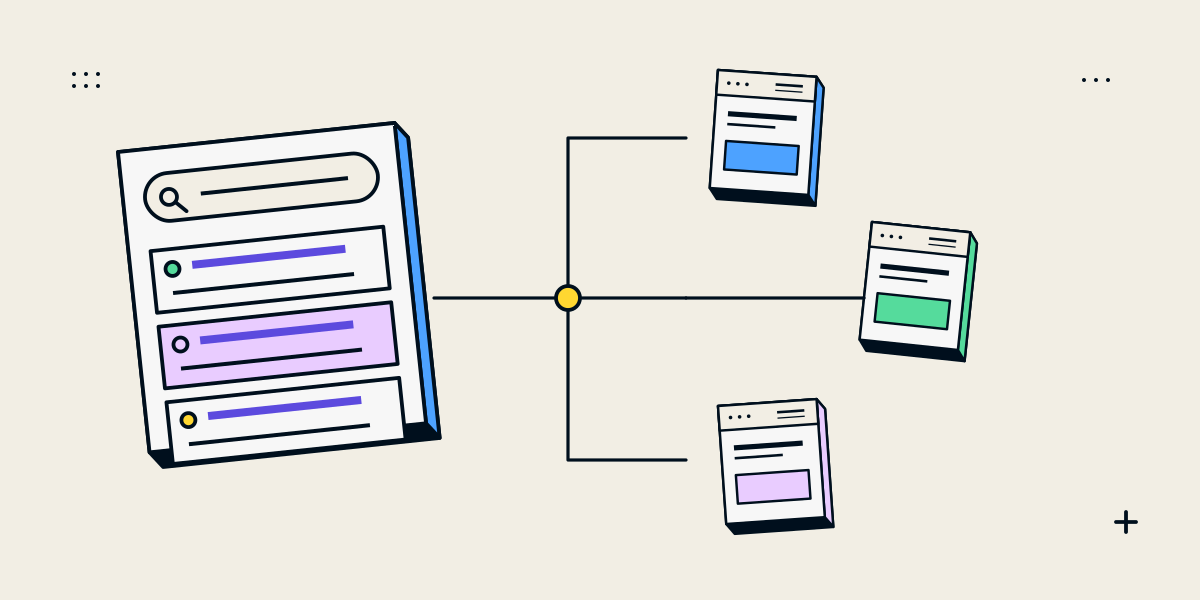
Search intent planning connects a query with the page that best answers it
Search intent is the need behind a search. A person looking for a definition may need an explanation; someone comparing providers may need service scope, evidence and a way to enquire. A keyword list becomes useful when it helps decide which page should answer each distinct need.
Do not create one page for every wording variation. Group queries when they represent the same audience need and separate them when the visitor needs a different kind of information or next step.
Classify the task behind the search before choosing a URL
| Need | Possible page | What the visitor needs |
|---|---|---|
| Learn a concept or solve a problem | Guide or article | A clear explanation, steps, examples and limits |
| Compare approaches or providers | Comparison or service page | Trade-offs, fit, evidence and decision criteria |
| Find a local business or service | Location-aware service information | Accurate coverage, contact details and relevant local context |
| Hire or buy | Service or product page | Offer details, scope, price or quote route and next step |
| Navigate to a known brand or page | Homepage or named destination | A clear route to the expected resource |
A query can carry more than one need. Review the language customers use, the pages already on your site and the information that would make a decision easier. Search results can provide clues, but do not copy competitors without adding useful context.
Build a page map that prevents overlap and missing answers
- Collect important queries from customer conversations and available search data.
- Group similar queries by audience, task and expected next step.
- Assign one primary page to each distinct need.
- Record supporting questions that belong within that page rather than needing a new URL.
- Link related pages where the visitor’s journey naturally continues.
- Mark gaps, duplicate pages and outdated URLs for review.
| Query group | Intent | Target page | Next step | Evidence to review |
|---|---|---|---|---|
| Example: service planning | Commercial investigation | Business service page | Discuss a project | Relevant service enquiries |
| Example: website launch checks | Informational | Launch SEO guide | Review SEO services | Search impressions and engaged visits |
A page should have a distinct reason to exist. If two URLs answer nearly the same query for the same audience, decide whether one needs to be merged, clarified or redirected based on content and search evidence.
Make the page fulfil the intent consistently
- Use a title and opening that accurately describe the page.
- Put the core answer where a visitor can find it without unnecessary setup.
- Include the detail, proof or limits needed for the decision.
- Use internal links to related services, guides or contact routes.
- Keep the page current when the offer or underlying information changes.
- Measure business outcomes separately from clicks and impressions.
Google’s SEO Starter Guide describes SEO as helping search engines understand content and helping people decide whether to visit. Our SEO audit checklist includes checks for page purpose, internal links and useful content.
Avoid keyword maps that create thin or repetitive pages
A spreadsheet can make duplication look productive: one URL per city, adjective or query variation. But if the pages provide the same information and no distinct service, local proof or customer value, they add maintenance without helping people decide. Keep one stronger page or create genuinely different pages for different offers and audiences.
Search systems can understand related language. Focus the plan on complete answers, accurate service details and useful relationships between pages rather than exact-match phrases in every heading.
Questions about search intent and keyword mapping
Should every keyword have its own page?
No. Group queries that reflect the same need and use one page when it can answer them well. Create a separate page for a genuinely different service or audience.
How do I know what intent a query has?
Use customer language, the query context, available Search Console data and the information people need to make progress. Treat search results as clues, not a template to copy.
Can one page answer multiple intents?
Yes, when the needs are closely related and the page can address them clearly. Keep the primary purpose visible and provide links for different next steps.
How often should I update a keyword map?
Review it when the offer, site, audience or search evidence changes. Avoid changing URLs without checking internal links, redirects and existing traffic.
Does keyword mapping guarantee rankings?
No. It helps organise content around customer needs, but search visibility depends on many factors and is not guaranteed.